
Can You See Search History on a WiFi Bill? The Real Answer
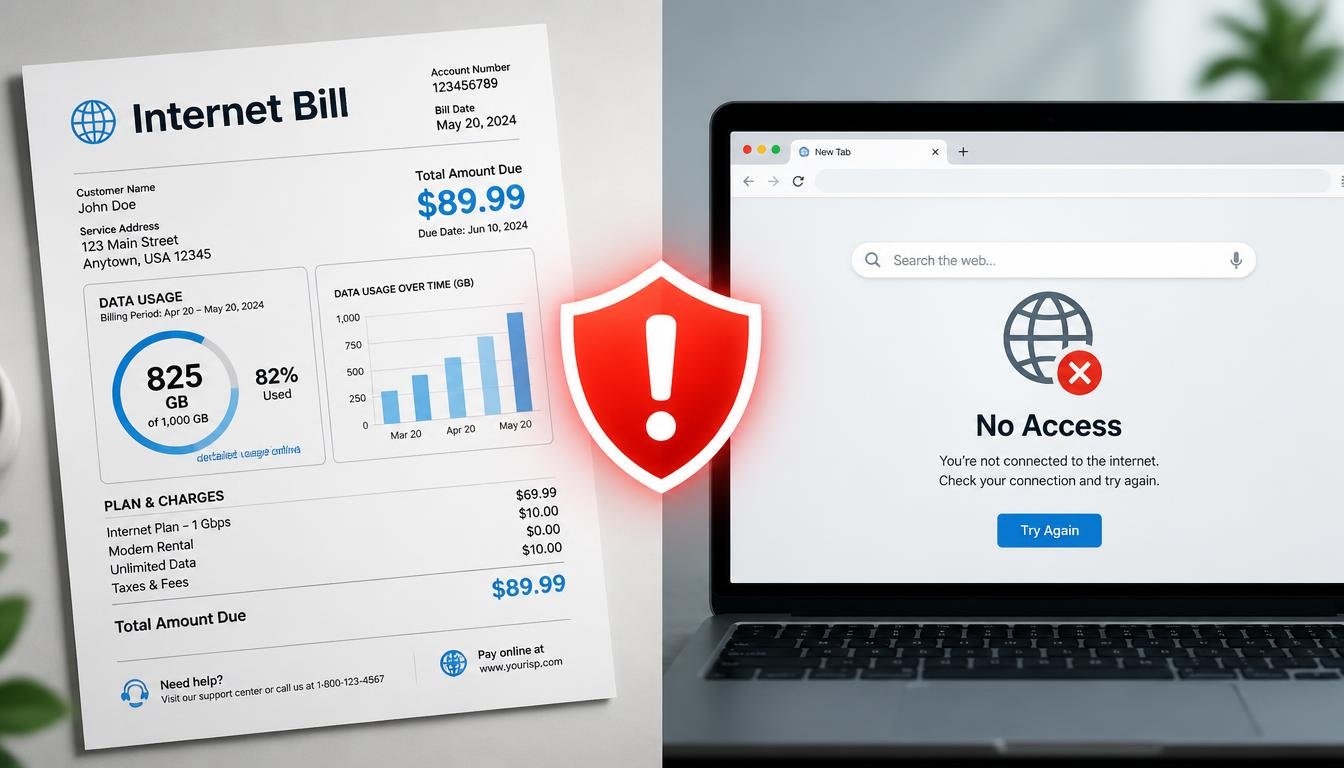
Many people assume their internet bill quietly records everything they search or browse, but that is not how it works. When someone asks, can you see search history on a WiFi bill, the honest answer is no: a normal WiFi bill only shows the plan, charges, and data usage, not search queries or websites visited. The real question is how much a router, an ISP, or a WiFi owner can actually see, and this article breaks down each scenario clearly.
Quick Answer
Does Search History Show on a WiFi Bill?
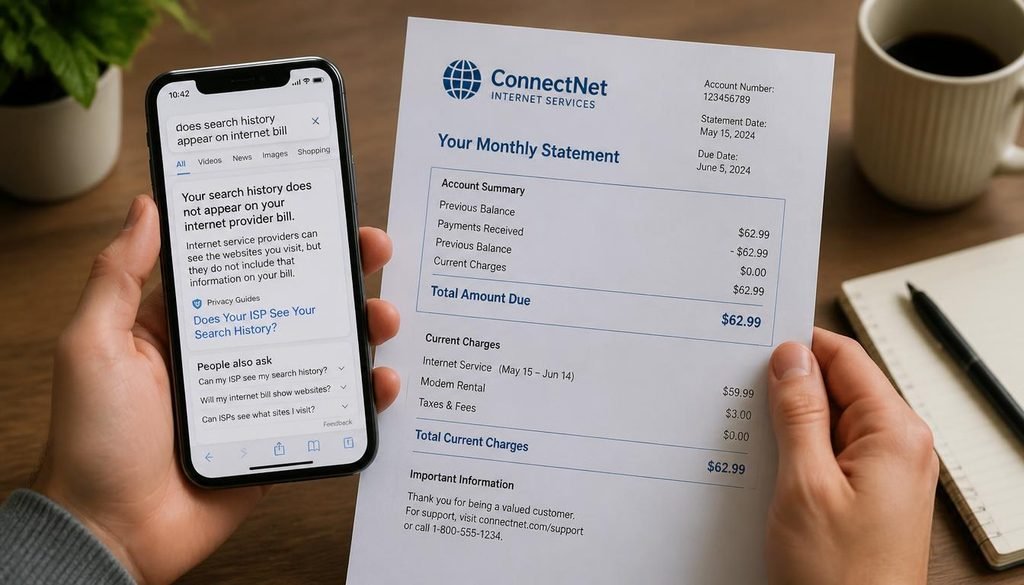
NO. A WiFi or internet bill does not display search history or websites visited.
It is generated strictly from a billing system that tracks your plan, monthly charges, and total data usage. Search and browsing activity live in separate systems entirely—such as your browser, search engine account, and router or DNS logs—none of which feed into the monthly bill.
In This Guide
What a WiFi Bill Actually Shows
A bill is produced by an account and billing system, not a monitoring system. It typically includes:
- Service plan and speed tier
- Monthly charges, fees, and taxes
- Billing period and due date
- Account and service address details
- Total data usage, on plans with a data cap
- Equipment rental charges, where applicable
What a WiFi Bill Does Not Show
- Individual search queries typed into Google, Bing, or any other search engine
- A list of specific websites visited
- Timestamps of browsing sessions
- App-level or page-level activity
Unless a provider has built and clearly advertised a specific monitoring feature into its account portal, which is uncommon, none of this appears on a standard bill.
Can the Person Paying the Bill See Your Search History?
Paying the bill does not, by itself, grant access to search or browsing history. Billing access and network monitoring access are different permissions on different systems. A person who only receives the bill sees what was outlined above and nothing about specific search terms or sites visited.
What that person can see depends entirely on what other access they hold, covered in the sections below.
Who Can Actually See Your Online Activity?
Several separate systems can, under certain conditions, reveal some form of online activity. Each works differently and reveals different levels of detail.
Browser History
Stored locally on the device, inside the browser itself. This includes pages visited and, in most browsers, search terms entered through the address bar. Anyone with direct access to that specific device and browser profile can view it, unless it was cleared or private browsing was used.
WiFi Router
Depending on model, firmware, and configuration, a router may log connected device names, local IP addresses, DNS requests (domain names), timestamps, and basic traffic volume. It does not, in a typical consumer setup, produce a readable transcript of exact search queries.
DNS Logs
DNS logs can reveal the domain names a device contacted, such as google.com, but not the specific query typed into that domain. Visibility depends on whether DNS is encrypted and where the DNS resolver is hosted.
Internet Service Provider
An ISP’s network sees traffic pass through its infrastructure, and, subject to its own technology, policy, and applicable law, it may retain some network-level metadata. This is generally not the same as a readable list of search terms, and the extent of what is retained and for how long varies by provider and jurisdiction.
Google or Search Engine Account Activity
If a person is signed in to a Google account with activity tracking enabled, search history may be saved to that account and viewable through Google’s My Activity. This is entirely separate from the network or the bill.
Parental Control Software
Purpose-built monitoring apps are designed to capture more detail than a router alone, potentially including app usage, browsing history, or search activity, depending on the specific product installed.
Device Monitoring Software
Software installed directly on a device (rather than the network) can log activity at the operating system or browser level, independent of what the router or ISP can see.
What Can Each Source See? A Visibility Model
| Source | Search Terms | Website Domains | Exact Page | Billing Statement |
|---|---|---|---|---|
| Browser history (local device) | Yes | Yes | Yes | No |
| WiFi bill | No | No | No | Yes |
| Home router (typical consumer setup) | No | Sometimes | Rarely | No |
| DNS logs | No | Sometimes | No | No |
| ISP network records | No | Depends | Depends | No |
| Parental control software | Depends | Depends | Depends | No |
| VPN provider | Depends | Depends | Depends | No |
“Sometimes” and “Depends” reflect real variation: router model and logging settings, whether DNS is encrypted, the ISP’s own retention policy, the specific parental control product, and the VPN provider’s own logging practices all change the answer. None of these sources connects to the WiFi bill itself.
Can a Router See Google Searches?
Generally no, not the exact query. Google uses HTTPS encryption, which protects the content of the connection, including the search terms submitted. A router with DNS visibility may see that a device connected to google.com, but not what was typed into the search box.
Does HTTPS Hide Search History?
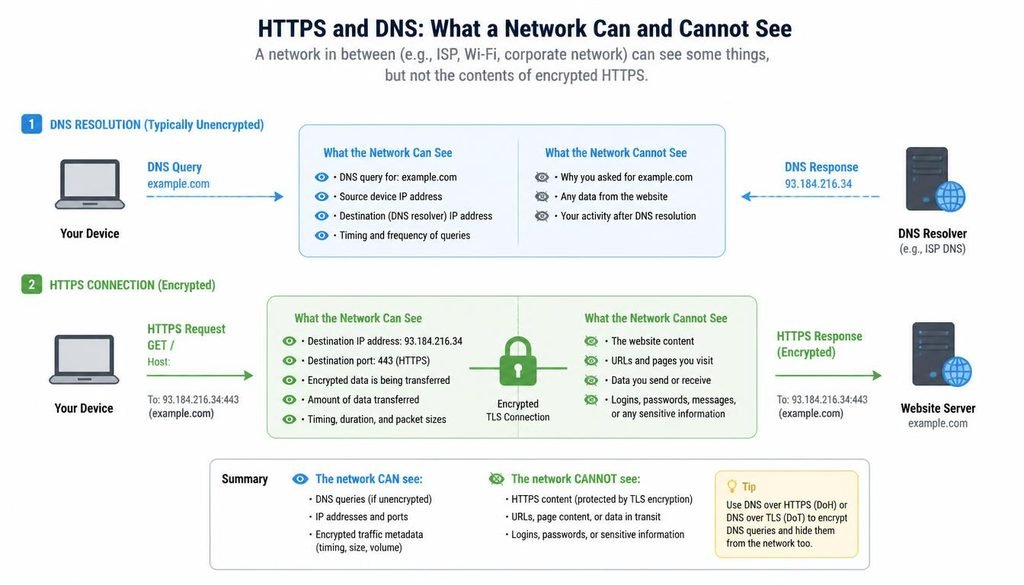
HTTPS protects the content of a connection from ordinary network observers, including a router administrator. It does not hide that a connection was made or, in many cases, the domain being contacted. Picture a sealed envelope: the network can generally see the destination address, but not the letter inside.
With HTTPS in place:
- The network can typically see that a device connected to a domain
- The network generally cannot see the exact search query
- The network generally cannot see the exact page path or submitted form data in most cases
What Does DNS Reveal?
DNS translates a domain name into the address a device needs to connect to it, and a network positioned to see DNS traffic may learn which domains a device contacted. This is domain-level information, not search-term-level information.
- Standard, unencrypted DNS can be more visible to a network observer
- Encrypted DNS (DNS over HTTPS or DNS over TLS) hides query content from the local network, though the DNS provider handling the request still processes it
- A device using a third-party or VPN-supplied DNS resolver may route this traffic outside the local router’s visibility entirely
Does Incognito Hide Activity From the WiFi Owner?
No, not at the network level. Incognito or private browsing controls what is stored locally on the device: after the session, the browser generally does not retain history, cookies, or site data for that session.
It does not make network traffic invisible to the router, to ISP infrastructure where applicable, or to the websites and services the device connects to. It is a local privacy tool, not a network privacy tool.
Can Parents See Search History Through WiFi?
This depends entirely on the access a parent actually has, and these situations are not interchangeable.
Scenario 1: A parent pays the bill but does not have router administrator access.
They see billing details only. No search or browsing history.
Scenario 2: A parent has router administrator access.
They may see connected devices and, depending on the router, some domain-level DNS activity. Full search queries are generally not visible this way.
Scenario 3: A household uses parental control software.
This can reveal significantly more, including app usage or browsing activity, depending on the specific product and how it is configured.
Scenario 4: A parent has physical access to the device.
Local browser history, installed apps, and saved account activity may be visible, independent of the network.
Scenario 5: A parent manages a linked family account (such as Google Family Link or Apple Screen Time).
Search and app activity may be visible through those account tools, separate from anything the router or ISP shows.
Does Deleting Browser History Remove Network Records?
No. Clearing browser history removes what is stored locally on that device. It does not retroactively affect records that may exist elsewhere, such as router DNS logs, a DNS resolver’s own logs, or ISP-side network records, if any of those happen to retain relevant data.
Can a VPN Hide Browsing From the WiFi Owner?
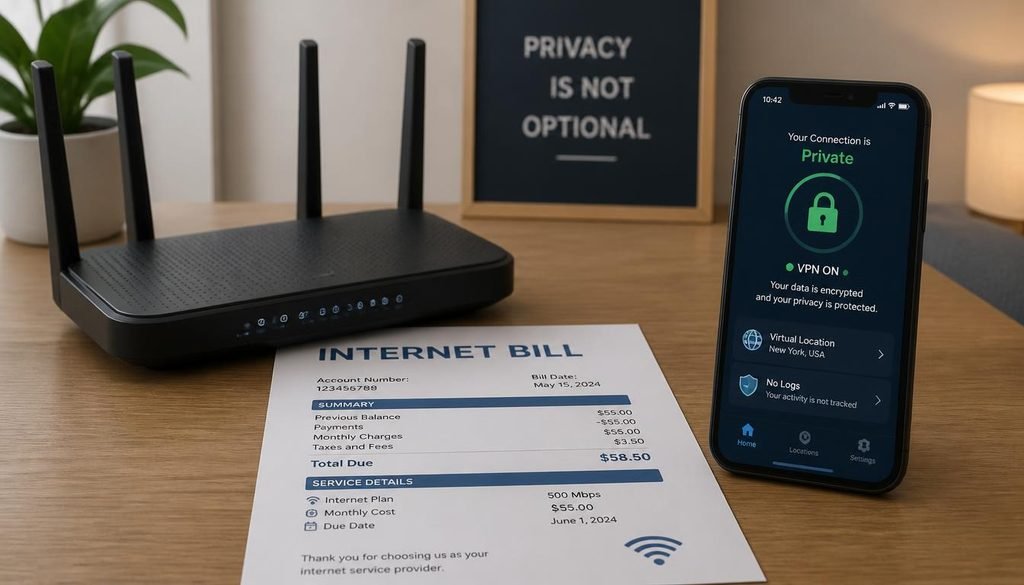
A VPN encrypts traffic between a device and the VPN provider’s server and routes internet traffic through that server. This generally prevents the local network, including the router owner, from seeing the destination and content of that traffic.
Limitations to keep in mind:
- The local network can generally see that a device is connected to a VPN service, even if it cannot see the contents
- The VPN provider is now positioned similarly to how the ISP was before, so its own logging policy and jurisdiction matter
- VPN providers are not identical in their privacy practices
- A VPN does not delete or hide browser history already stored on the device
- A VPN does not make a user completely anonymous everywhere, since account sign-ins and cookies can still identify a user regardless of VPN use
Can You See Search History on a WiFi Bill?
Can Hotel or Public WiFi Administrators See Browsing Activity?
Public and hotel networks work on the same underlying principles as a home network. An administrator with access to that network’s equipment may see connected devices and, depending on configuration, some domain-level DNS activity, but HTTPS still protects the content of most connections in the same way it does on a home network. Public networks can carry additional risk in other ways (such as unencrypted traffic or malicious hotspots), which is a separate concern from what appears on a bill.
Does a Phone Bill Show Internet Search History?
No. A cellular phone bill functions like a home internet bill: it shows the plan, charges, and total mobile data usage, tracked for billing purposes, not content. Search and browsing activity on a phone are stored by the browser, individual apps, and any linked accounts, not by the carrier’s statement.
Can Someone Request Browsing Records From an ISP?
In some jurisdictions, law enforcement or other authorized parties can request certain records from an ISP through legal processes, subject to that ISP’s own retention policies and applicable law. This is distinct from a household bill and is not something an ordinary bill payer or router owner can access on their own. Specifics vary by provider and jurisdiction, so a claim about what any single ISP retains should not be treated as universal.
How to Check What Your Router Is Logging
Menu names vary by manufacturer and firmware, so there is no single universal path. A generic starting point:
- Find the router’s gateway address, often printed on a label on the device
- Open a browser and enter that address to reach the admin login page
- Sign in with the admin credentials
- Look for sections labeled Logs, System Logs, Security, Parental Controls, DNS, or Traffic Monitor
Many consumer routers do not retain detailed browsing logs by default. Some only display currently connected devices rather than historical activity, and cloud-managed router systems (common with some mesh WiFi products) may store data outside the physical router itself. For an exact menu path on a specific model, check that manufacturer’s own support documentation.
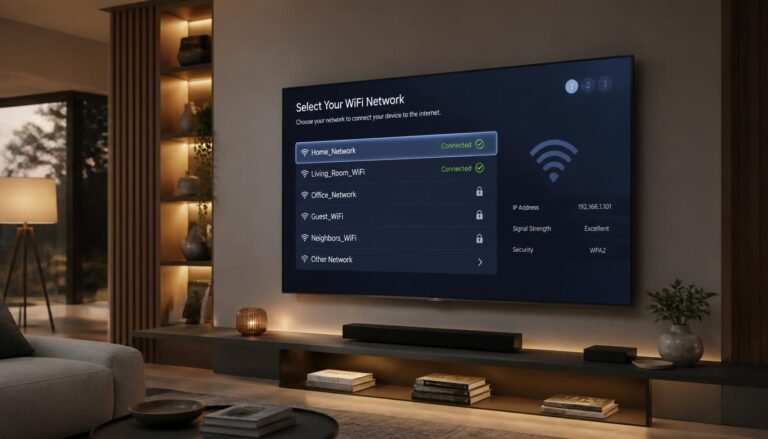
Smart TVs, streaming boxes, and other connected devices also show up in this list, since a router generally treats them the same way it treats phones or laptops. If a TV is not showing up correctly or refuses to join the network, a guide such as how to connect a smart TV to WiFi can help resolve that separately from any privacy concern.
How to Improve Privacy on Shared WiFi
These are ordinary privacy practices, not methods for bypassing legally installed monitoring, parental controls, workplace policy, or school policy.
- Rely on HTTPS, now standard on most reputable sites
- Consider encrypted DNS (DoH or DoT) where the device or browser supports it
- Use a reputable VPN with a clearly published privacy policy
- Use strong, unique account passwords
- Use private browsing for local, on-device privacy, understanding its network-level limits
- Keep devices and browsers updated
- Periodically review who holds admin access to the home router
- Use a separate guest network for visitors or less trusted devices, where supported
Devices like smart TVs are good candidates for a separate guest network, since they do not need access to personal files or accounts on the main network. For step by step setup, how to connect a TV to WiFi walks through the connection process on most modern televisions.
Common Misconceptions
- “The WiFi bill lists everything I searched.” Not accurate; billing and network logging are separate systems.
- “Incognito hides my activity from the router.” Not accurate; it affects local storage only.
- “A VPN makes me completely invisible online.” Not accurate; account sign-ins and cookies can still identify a user.
- “Every router logs the same information.” Not accurate; logging depends on model, firmware, and configuration.
- “Deleting browser history clears everything everywhere.” Not accurate; it only clears what was stored locally.
FAQ (Can You See Search History on a WiFi Bill)
Does my WiFi bill show my search history?
No. A WiFi bill shows billing and account details, such as plan and charges, and does not list search queries or browsing activity, since it comes from a billing system rather than a network monitoring system.
Can I see someone’s search history on my WiFi?
Not through the bill. With router administrator access, you may see connected devices and some domain-level DNS activity, depending on the router, but generally not full search queries, since most sites use HTTPS encryption.
Can your parents see your search history through WiFi?
It depends on their level of access. A bill alone shows nothing. Router access, parental control software, direct device access, or a linked family account can each reveal different amounts of detail, and these are not interchangeable.
What can my parents see on the WiFi bill?
Generally the plan, monthly charges, and total data usage where the plan has a cap. Not a list of websites visited or search terms typed.
Does incognito hide history from WiFi owners?
No. Incognito mode controls what is stored locally on the device after the session. It does not hide network traffic from the router, the ISP, or the sites and services a device connects to during that session.
Can a router see Google searches?
Generally no. HTTPS encrypts the search query itself. A router with DNS visibility may see that a device connected to google.com, but not the exact term entered.
Can a WiFi owner see websites visited?
Depending on router logging and DNS configuration, domain-level activity may be visible, which is different from a full page-by-page browsing history.
Does a VPN hide browsing from the WiFi owner?
Generally yes, at the local network level, since a VPN encrypts traffic before it reaches the router. The VPN provider itself may still have some visibility, depending on its own logging policy, so the VPN provider matters just as much as the router owner.
Can you delete router browsing history?
Local router logs, where they exist, can typically be cleared or reset. This does not erase records that may exist elsewhere, such as DNS resolver logs or ISP network records.
Does HTTPS hide browsing history from a router?
It hides the content of the connection, including search terms and most page data, from ordinary network observers. Some metadata, such as the domain being contacted, can still be visible depending on the network’s configuration.
Does deleting browser history remove records from the router or ISP?
No. It only removes what was stored locally on that device’s browser. Any separate records held by a router, DNS resolver, or ISP are unaffected by that action.
Does a phone bill show internet search history?
No. It shows plan, charges, and data usage totals for billing purposes, not a record of websites visited or terms searched.
Conclusion
A WiFi bill is built to calculate what is owed, not to record what was searched. The confusion around this question comes from treating billing, router logging, DNS, ISP infrastructure, browser storage, and account activity as one system when they are, in practice, several separate ones. Once those are separated by scenario, the answer becomes clear: the bill will not show search history, and the actual visibility of online activity depends on which of those other systems someone has access to, and how that system is configured.
While reviewing the connected devices list in the router admin panel, it is common to spot smart TVs or streaming devices that are no longer in use. Anyone still setting up a new television can refer to how do I connect my TV to the internet for a straightforward walkthrough.



One Comment