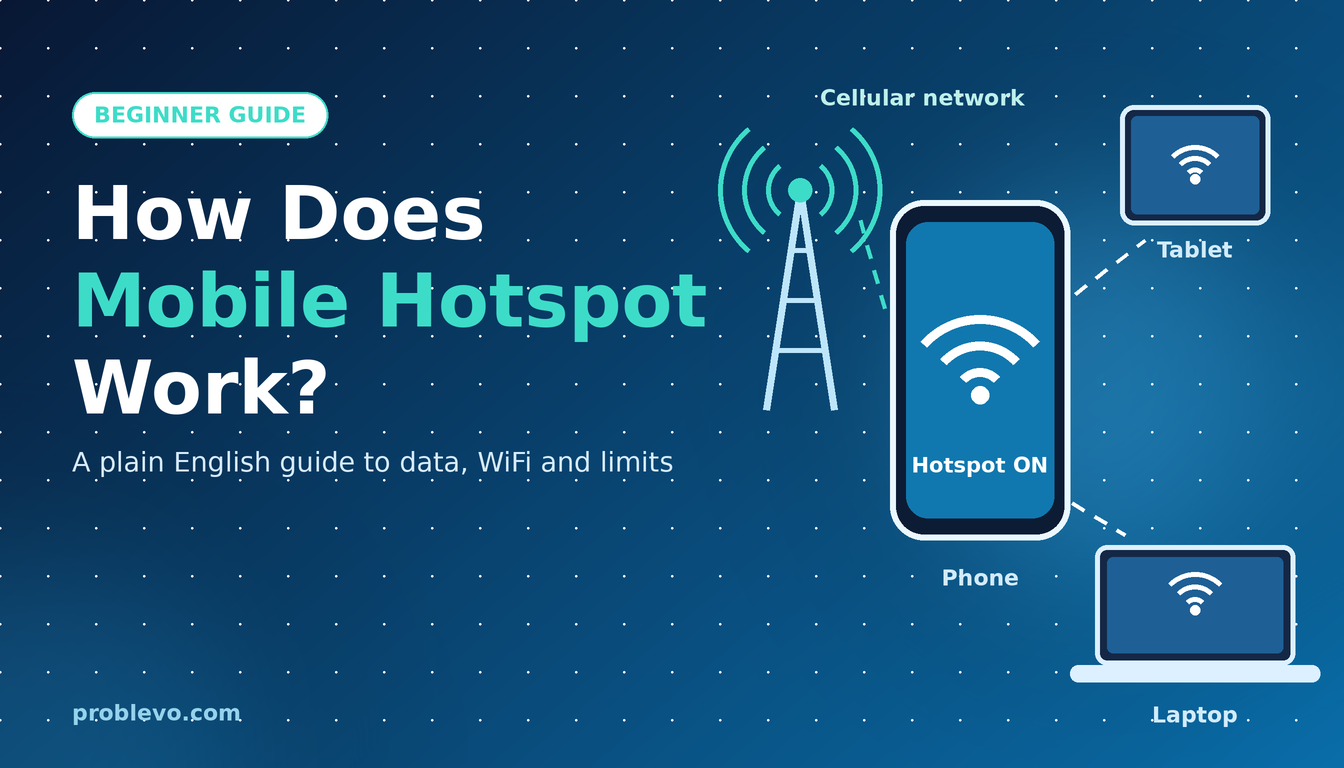
How Does Mobile Hotspot Work? A Simple Guide (2026)
Your phone can share its internet connection with a laptop in under a minute, but how does mobile hotspot work behind that one toggle?
A mobile hotspot lets a phone, or a small portable device, share its cellular internet with other devices. It is useful when home WiFi is down, when you travel, or when you need a laptop online away from a desk. By the end of this guide you will understand where the internet comes from, how devices connect, and why data plans, signal, and battery decide how well it works.
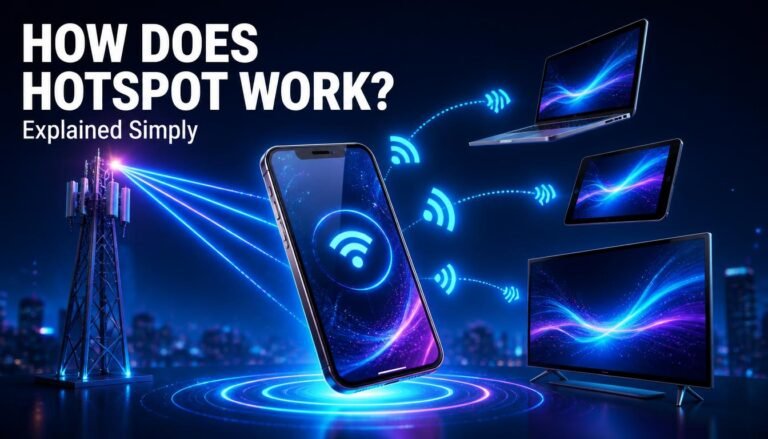
Quick Answer: A mobile hotspot uses a phone’s or portable device’s cellular connection to reach the internet, then shares that connection with nearby devices. The phone creates a WiFi network, assigns addresses to connected devices, and routes their traffic to the carrier network. It needs a usable cellular signal to provide internet.
| Connection Type | Where Internet Comes From | Main Limitation |
|---|---|---|
| Smartphone Hotspot | Phone’s cellular connection | Phone battery and plan restrictions |
| Dedicated Mobile Hotspot | Cellular connection through a portable device | Device and service plan costs |
| Home WiFi | Usually a fixed broadband connection | Depends on home internet service |
| Public WiFi | Internet service provided by the location | Availability and network security |
These are general distinctions. Individual setups can vary.
What Is a Mobile Hotspot?
A mobile hotspot shares a cellular data connection with other devices. Sharing that way is also called tethering.
There are two common forms. A smartphone hotspot is a feature built into your phone. A dedicated hotspot is a separate portable device with its own SIM card and data plan.
The word “hotspot” is also used for public WiFi in cafes and airports. That is a different thing. Public WiFi uses internet service supplied by the venue, while a mobile hotspot uses cellular data. Home WiFi usually comes from a fixed broadband line through a router.
How Does Mobile Hotspot Work?
The process has six steps:
- The phone connects to a cellular network. Its modem keeps a data session with the carrier over 4G LTE or 5G, subject to coverage and service.
- The cellular connection provides internet access. This is the only source of internet in the chain. No signal means no internet.
- You turn on the hotspot. The phone creates a WiFi network with a network name (SSID) and security settings, usually a password.
- Another device joins. A laptop, tablet, or phone selects that name and enters the password.
- The phone routes the traffic. In most setups it gives each device a private address and forwards its requests over the cellular connection.
- The reply returns the same way. Data comes back from the internet to the phone, then to the device that asked.

The complete connection path
Connected device → Phone’s WiFi hotspot → Phone’s network routing → Cellular network → Internet service
The phone does real networking work here. It is not simply repeating a radio signal.
Three things must work together
A hotspot that works depends on three separate conditions:
- The phone has a usable upstream connection (signal, active data, a plan that allows tethering).
- The hotspot is configured and broadcasting (switched on, with a visible name and password).
- The receiving device can join and use it (compatible WiFi, correct password, internet access through the phone).
If something fails, ask which of the three is broken. A device that cannot see the network points to step 2. A device that connects but loads nothing often points to step 1.
How Does a Phone Share Mobile Data With Another Device?
Imagine a student in a library with no WiFi. She turns on the hotspot on her phone, picks its name on her laptop, and enters the password. She then opens a website. The laptop sends the request to the phone over WiFi, and the phone sends it to her mobile carrier. The laptop treats the phone as its internet gateway, while the phone treats the carrier as its own.
Both devices need compatible wireless features, and the phone’s plan must allow tethering. For a longer walkthrough, see our guide on how to use mobile data on your laptop.
How Does Mobile Hotspot Work on Android?
Android Help describes the general process:
- Swipe down from the top of the screen and tap Hotspot in Quick Settings. If it is missing, use Edit to add it.
- Touch and hold Hotspot to find or change the name and password.
- On the other device, open its WiFi list, pick the name, and enter the password.
Android also supports Bluetooth and USB tethering. Android Help notes that Mac computers cannot tether with Android by USB, and that you can share data with up to 10 other devices over WiFi. It also warns that some carriers limit or charge extra for tethering. Menu names vary by Android version and manufacturer.
How Does Mobile Hotspot Work on Samsung?
A Galaxy phone uses the same Android foundation with Samsung’s own menus. Samsung’s support page says to open Settings, then Connections, then Mobile Hotspot and Tethering, and switch on Mobile Hotspot. Samsung also describes a timeout that turns the hotspot off when unused, and Auto Hotspot for devices signed in to your Samsung account.
Samsung’s US page notes that turning on the hotspot can turn off WiFi on the phone. Options differ by model, region, and carrier, so treat the menu path as typical, not universal.
How Does Hotspot Work on iPhone?
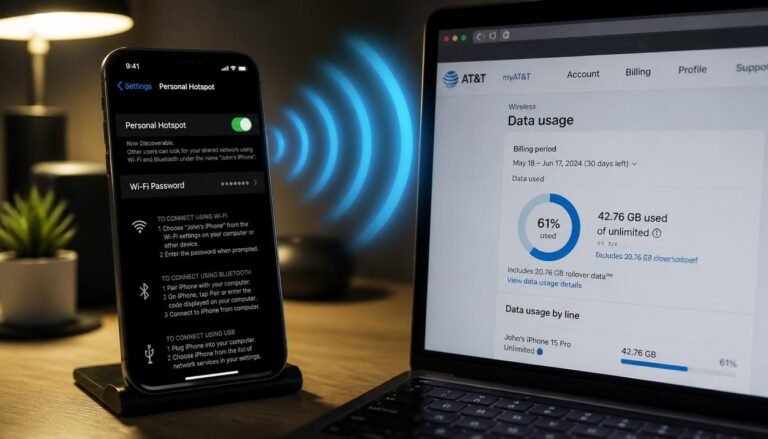
Apple calls it Personal Hotspot. According to Apple Support, you go to Settings, then Personal Hotspot, and turn on Allow Others to Join. The password appears on that screen. Apple states that it shares only the iPhone’s cellular connection, and that the number of devices depends on your carrier and iPhone model.
If the option is missing, your plan may not include it, so contact your carrier. Maximize Compatibility makes the hotspot use 2.4 GHz for older devices, which Apple says may reduce performance and security. Our guide on turning on mobile hotspot on iPhone covers the steps in detail.
How Does Mobile Hotspot Work on a Laptop or Windows PC?
A laptop uses its normal WiFi settings. On Windows 10 and 11, Microsoft Support describes the same idea: open the network list from the taskbar, choose the network, and connect.
- Turn on the hotspot on your phone.
- Open the WiFi network list on your computer.
- Select the hotspot name.
- Enter the password.
- Open a website to confirm it loads.

On Windows 11 you may need to open Manage WiFi connections from the quick settings panel first. Everything the laptop does counts as data on the phone’s plan. Our full guide to connecting a hotspot to a laptop goes further.
How Does Hotspot Work With Unlimited Data?
Unlimited phone data is not the same as unlimited hotspot data. Many plans give a fixed amount of high speed hotspot data, then slow hotspot speeds or restrict it.
Two US examples show the pattern. Optimum’s article (July 2025) lists 5 GB of hotspot data at 5G speeds on its Unlimited plan, then slower speeds, and 15 GB on Unlimited Max. Spectrum’s page (updated August 2026) says its Unlimited plans include up to 5 GB and Unlimited Plus up to 10 GB. These are examples only. Plans change, so check your own carrier.
To verify your allowance, read your plan’s tethering terms or open your carrier’s app.
Does a Mobile Hotspot Use Mobile Data?
Yes. When a phone shares cellular internet, connected devices use that connection. Video streaming, app updates, cloud backups, and large downloads use the most. Background traffic from a laptop can also add up quietly.
Illustrative example (not a measurement): a laptop checks email, streams a video, then downloads a 2 GB file. Email uses little, streaming uses much more depending on quality, and the download uses roughly its own size plus overhead. Actual usage varies by app, resolution, and settings. To see what is left, read our guide on how much hotspot data you have left.
Why hotspot data differs from normal data: carriers can treat tethered traffic under separate rules. That is how a plan can show a large phone allowance and a smaller hotspot one.
Does a Mobile Hotspot Work Without Internet?
A hotspot can broadcast a local WiFi network with no internet, and devices can join it. But they will not reach websites or apps unless the phone has a working upstream connection. Some Android phones can share a WiFi connection instead of cellular data, but Android Help says this varies by phone.
Do Mobile Hotspots Work Anywhere?
No. A hotspot is portable, but coverage is not universal. It depends on:
- Cellular coverage in that place
- Whether your phone supports the local network bands
- Roaming rules and charges on your plan
- Network congestion
- Indoor signal strength
Do not assume it will work in another country without checking your plan.
What Are the Advantages and Disadvantages of Mobile Hotspots?
Advantages: portability, quick setup, temporary access, and the ability to connect several compatible devices.
Disadvantages: faster battery drain, heat, plan limits, variable speed, and weaker performance in poor coverage.
Phone hotspot or dedicated device?
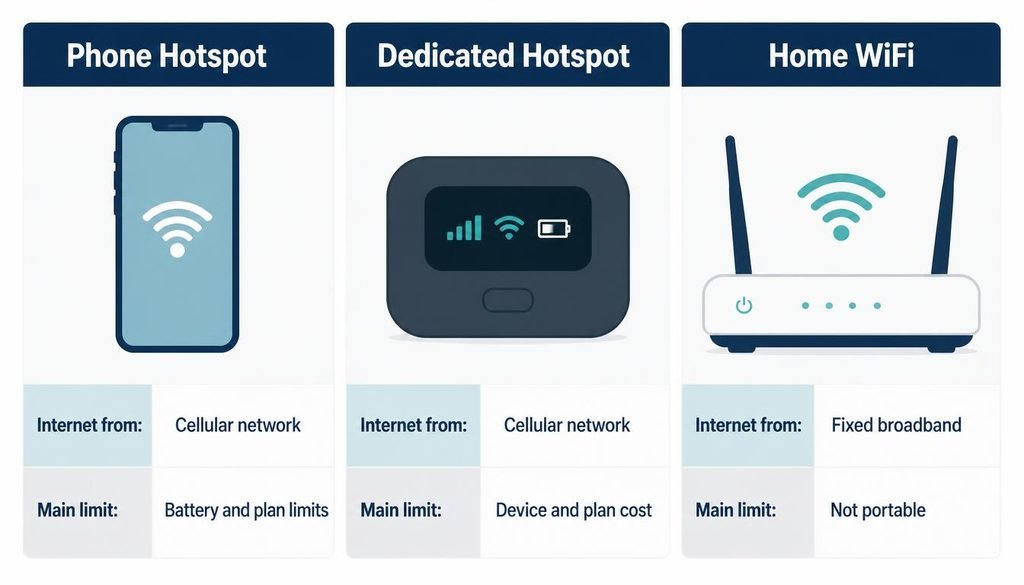
| Factor | Smartphone Hotspot | Dedicated Hotspot Device |
|---|---|---|
| Convenience | Already in your pocket | One more device to carry |
| Battery | Uses your phone’s battery | Separate battery |
| Cost | Often part of your plan | Device cost plus separate data plan |
| Device capacity | Depends on phone and carrier | Often designed for more devices, varies by model |
| Typical use | Occasional sharing | Frequent travel or heavier use |
A dedicated device is not always faster or better. It mainly keeps your phone free and may offer better antennas.
What Affects Mobile Hotspot Speed?
Two connections matter: the cellular link between the phone and the carrier, and the WiFi link between the phone and your device. The slower one limits the result.
- Cellular signal strength and congestion
- 4G or 5G availability in your location (5G is not always faster everywhere)
- WiFi band and device compatibility
- Number of devices sharing the connection
- Distance and walls
- Carrier speed limits
- Background downloads
Is a Mobile Hotspot Secure?
A password protected personal hotspot is generally safer than an open, unknown public network, but it is not immune to attacks.
- Use a strong, unique password.
- Choose WPA2 or WPA3 where your phone offers it.
- Do not set Security to None. Android allows it, which leaves the network open.
- Check which devices are connected and turn the hotspot off when finished.
- Keep both devices updated.
How Much Does a Mobile Hotspot Cost?
Using the built in hotspot may cost nothing extra, but not always. Some carriers limit or charge for tethering, and Android Help and Samsung both warn about this. A dedicated device usually involves buying the device and paying for a separate data plan. Read our guide on whether hotspot costs money, then confirm with your carrier.
How to Connect a Mobile Hotspot to Another Phone
- Turn on the hotspot on the host phone.
- On the second phone, open WiFi settings.
- Select the hotspot name.
- Enter the password.
- Open a website or app to check internet access.
The second phone generally uses data from the host phone’s plan.
Common Mobile Hotspot Problems and What They Mean
| Problem | Possible Explanation | First Check |
|---|---|---|
| Hotspot network is not visible | Discovery, compatibility, or settings issue | Check hotspot status and WiFi compatibility |
| Device connects without internet | Upstream cellular connection or plan issue | Test mobile data on the host phone |
| Hotspot is slow | Weak signal, congestion, or data restrictions | Check signal and plan allowance |
| Connection repeatedly drops | Power saving, signal, or device settings | Check both devices and connection stability |
| Hotspot feature is unavailable | Device, carrier, or plan limitation | Check device documentation and carrier terms |
These are possible explanations, not confirmed diagnoses. If the option is unavailable on an iPhone, see why Personal Hotspot is grayed out. For general WiFi issues, try our WiFi troubleshooting guide.
Mobile Hotspot vs Home WiFi vs Public WiFi
| Factor | Mobile Hotspot | Home WiFi | Public WiFi |
|---|---|---|---|
| Internet source | Cellular network | Usually fixed broadband | Venue’s service |
| Portability | High | None | Only at the venue |
| Cost | Plan allowance or extra plan | Monthly broadband bill | Often free |
| Reliability | Depends on signal and plan | Often steady | Varies, can be crowded |
| Best for | Travel and backup | Heavy daily use | Light, short use |
Home broadband is often better for heavy, continuous use by several people. A hotspot shines for portability and backup. Neither is always faster.
FAQs
What are the disadvantages of using your phone as a hotspot?
The main disadvantages are faster battery drain, extra heat, and data limits. Your phone runs its cellular modem and WiFi radio together, which uses more power. Many plans cap high speed hotspot data or restrict tethering, and speeds drop in weak coverage. A dedicated device can avoid some of these limits.
What happens when you use a hotspot on your phone?
Your phone keeps its cellular connection active and starts broadcasting a WiFi network. Devices that join it send their traffic to your phone, which forwards it to the carrier network and returns the replies. All of that traffic usually counts toward your mobile plan or a hotspot allowance, and your battery drains faster.
Is it free to use a mobile hotspot?
Turning on the feature is often free, but the data it shares comes from your mobile plan. Some carriers limit or charge extra for tethering, and some plans include only a set amount of hotspot data. Check your carrier’s current terms before heavy use, because rules differ by plan and country.
Does a mobile hotspot work without internet?
A hotspot can still broadcast a local WiFi network without internet, and devices can join it. But those devices will not reach websites or apps unless the phone has a working upstream connection, such as cellular data. Some Android phones can share a WiFi connection instead, but support varies.
Does a mobile hotspot use cellular data?
Yes, when the phone shares its cellular connection, every connected device uses that data. Video streaming, app updates, cloud backups, and large downloads use the most, and background traffic adds up. Check the usage screen on your phone or your carrier’s app to see how much hotspot data remains.
Does unlimited data mean unlimited hotspot data?
No, not necessarily. An unlimited phone plan can still cap high speed hotspot data or slow hotspot speeds after an allowance. Two US carrier examples listed allowances between 5 GB and 15 GB on unlimited tiers, but terms change often. Read your plan’s tethering terms to confirm.
Can a mobile hotspot replace home WiFi?
It can work as a backup or for light use, but it is usually a poor match for heavy household use. Speed depends on cellular signal, hotspot data may be capped, and one phone battery serves every device. Home broadband is generally better for several people streaming, gaming, or working at once.
Does a mobile hotspot drain your battery?
Yes. Your phone runs the cellular modem and the WiFi radio at the same time, so battery use and heat usually rise. Android Help suggests plugging in the phone, turning tethering off when finished, and using the automatic shutoff setting if your phone offers one.
How many devices can connect to a mobile hotspot?
It depends on the phone, carrier, and settings. Android Help says up to 10 other devices can join a WiFi hotspot, while Apple says the number depends on your carrier and iPhone model. More devices share the same cellular connection, so each one may get slower speeds.
Can I use a mobile hotspot on a Windows PC?
Yes. A Windows 10 or Windows 11 PC joins a phone hotspot like any WiFi network: open the network list, choose the hotspot name, and enter its password. Data used comes from the phone’s plan. Android also supports USB and Bluetooth tethering, though Android Help says Mac computers cannot tether by USB.
Conclusion
A mobile hotspot is a phone or portable device using a cellular connection to give other devices internet through a local wireless network. When something goes wrong, check the upstream connection, the hotspot settings, and the receiving device in that order. To keep going, read our guide on how to connect a hotspot to a laptop.


2 Comments