
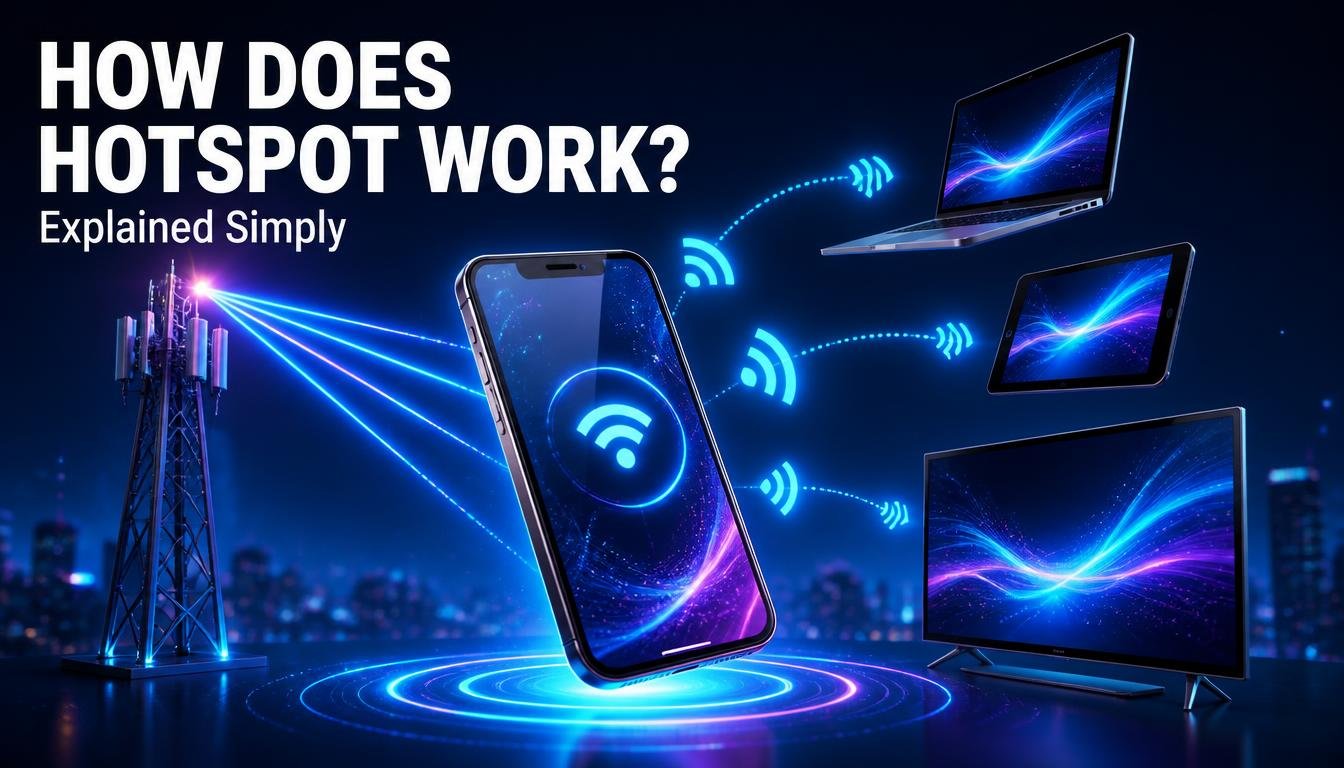
How Does Hotspot Work? Bands, Security and Limits
Your phone quietly turns into a router the moment you flip one switch, but how does hotspot work behind that toggle?
Quick Answer: A phone hotspot receives data from the cellular network, then acts as a small WiFi router. It gives nearby devices private IP addresses, translates their traffic with NAT, and forwards it over the mobile connection, while WPA2 or WPA3 encryption protects the local wireless link.
Every laptop, tablet, or smart TV that joins your hotspot depends on the same chain of radios and software inside your phone. Understanding that chain helps you fix problems faster and avoid surprise data charges.
Table of Contents
Quick Diagnostic Table
| Symptom | Root Cause | Actionable Fix |
|---|---|---|
| Hotspot toggle is grayed out | Carrier plan excludes tethering, or a setting is locked | Check your plan and network settings, then follow the guide to fix a grayed out Personal Hotspot |
| Device connects but has no internet | Weak cellular signal or exhausted data allowance | Test mobile data on the phone itself, then restart the hotspot |
| Very slow speeds | Carrier throttling, 2.4 GHz congestion, or poor signal | Switch to 5 GHz, move closer to the phone, and check your allowance |
| Phone is hot and battery drains fast | Cellular modem and WiFi radio work at the same time | Plug in a charger, remove the case, and close background apps |
| Hotspot name does not appear | Hotspot is off, or the device does not support the selected band | Turn the hotspot off and on, then try the 2.4 GHz band |
| Frequent disconnects | Battery saver or idle timeout is switching the hotspot off | Disable battery saver and review the general WiFi troubleshooting steps |
What Is a Mobile Hotspot?
A mobile hotspot is a feature that lets your phone share its cellular internet connection with other devices. The phone becomes the gateway between those devices and the carrier network. This is why it is also called tethering.
It helps to remember that the difference between WiFi and the internet matters here. WiFi is only the local wireless link between your devices and the phone. The internet access itself comes from your carrier through the cellular connection.
How Does Hotspot Work Step by Step
- Your phone connects to the cell tower. The cellular modem uses 4G LTE or 5G to maintain a data session with your carrier.
- You enable the hotspot. The phone switches its WiFi chip into access point mode, so it broadcasts a network name (SSID).
- A device joins the network. The device enters the password and completes an encrypted handshake with the phone.
- The phone assigns an address. A built in DHCP service hands the device a private IP address.
- Traffic is translated. NAT rewrites the device’s private address so all traffic appears to come from the phone’s single carrier address.
- Data travels both ways. Requests go from the device to the phone over WiFi, then out through the cellular modem to the internet. Responses return along the same path.
From Cellular Tower to Local WiFi: The Exact Transition
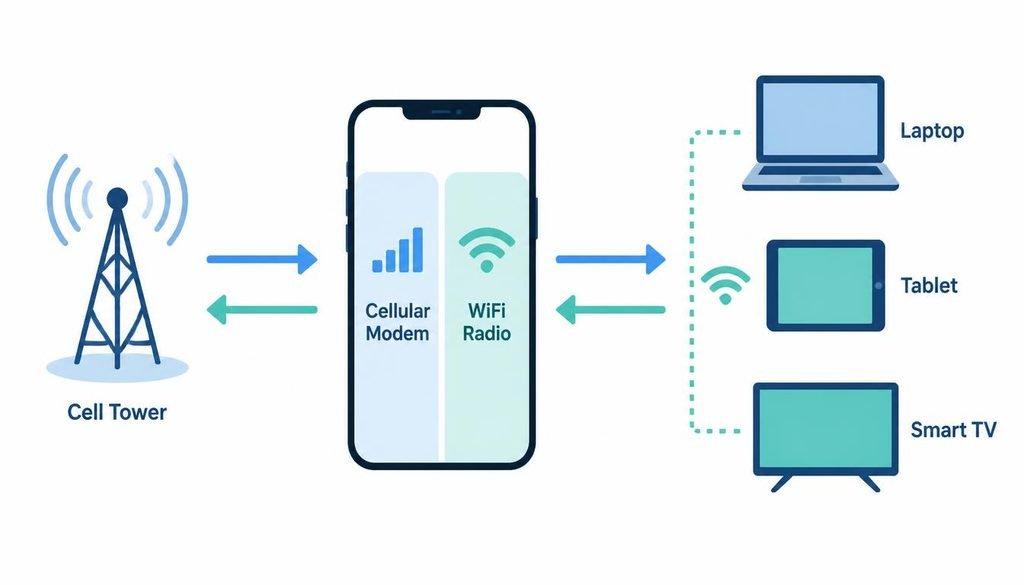
Here is the exact path that answers how does hotspot work at the signal level. The phone has two separate radios, and the hotspot software joins them together.
The Cellular Side
The modem keeps a connection to the tower and receives packets from the carrier. Your carrier gives the phone one public or carrier grade address. Everything shared through the hotspot must fit through that single connection.
The WiFi Side
The WiFi chip stops acting as a normal client and starts acting as a router. It transmits beacon frames that advertise your network name, and it manages authentication for every joining device. It also runs a small DHCP and DNS relay so connected devices know where to send traffic.
Where Carriers Fit In
Carriers can detect tethered traffic through packet characteristics, such as changes in packet lifetime values. This is how plans enforce separate hotspot allowances or reduced speeds after a limit. It also explains why a hotspot can behave differently from regular phone data on the same plan.
Frequency Bands: 2.4 GHz vs 5 GHz
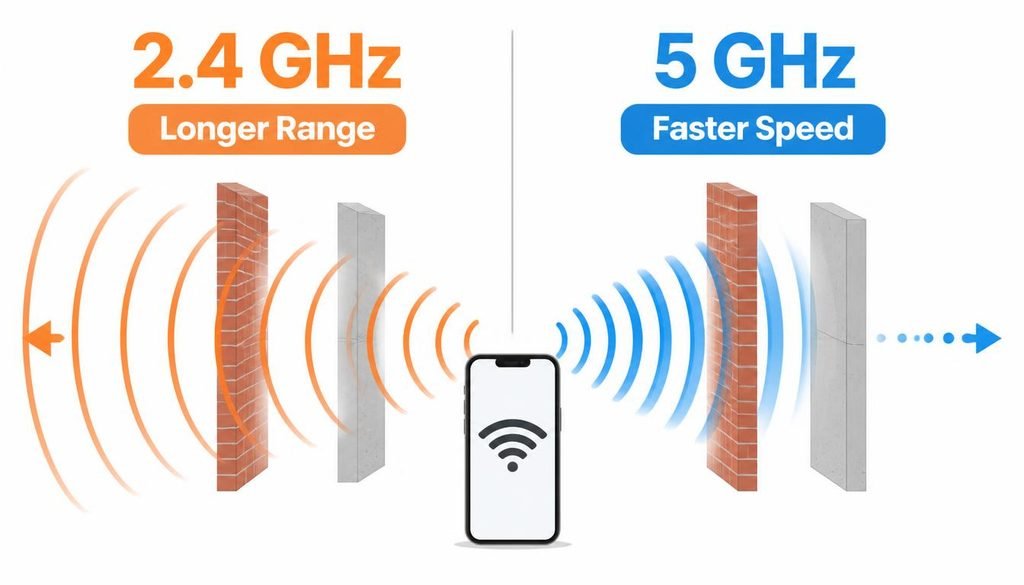
Your hotspot can broadcast on different frequency bands, and the choice changes both speed and reliability.
| Feature | 2.4 GHz | 5 GHz |
|---|---|---|
| Speed | Lower | Higher |
| Range | Longer | Shorter |
| Wall penetration | Better | Weaker |
| Interference | More crowded | Less crowded |
| Device support | Nearly all devices | Most modern devices |
| Best for | Distance and older gadgets | Video calls and streaming nearby |
Some newer phones also support the 6 GHz band through WiFi 6E, which offers even cleaner channels over short distances. On an iPhone, the Maximize Compatibility option controls this choice. When it is on, the hotspot uses 2.4 GHz. On many Android phones, you choose the AP Band inside the hotspot settings.
Hotspot Security: WPA2 vs WPA3
Your hotspot encrypts the wireless link between your phone and each connected device. Without encryption, anyone nearby could read the traffic.
- WPA2 Personal is the long standing default and remains secure with a strong password.
- WPA3 Personal improves protection against password guessing attacks and is available on newer Android and iOS versions with supported hardware.
- Open networks have no encryption and should never be used for a hotspot.
Choose a password of at least 12 characters and avoid names or phone numbers. The same logic applies at home, so if you ever need to change the WiFi password on your router, follow the same strong password habits.
Android vs iOS Hotspot Architecture
People often ask how does hotspot work on iPhone compared with Android. The core process is the same, but the controls differ.
| Feature | Android | iOS |
|---|---|---|
| Feature name | Mobile Hotspot or Tethering | Personal Hotspot |
| Connection methods | WiFi, USB, Bluetooth, Ethernet on some devices | WiFi, USB, Bluetooth |
| Band control | AP Band setting on most phones | Maximize Compatibility toggle |
| Device limit | Varies by brand and carrier, often higher | Varies by carrier and model, often around five |
| Auto shutoff | Timer available on many phones | Turns off after a short idle period |
| Instant sharing | Instant Tether or Auto Hotspot on supported devices | Instant Hotspot for devices on the same Apple ID |
If you use an iPhone, this guide on how to turn on mobile hotspot on iPhone shows the exact menu path.

Data Limits, Throttling and Carrier Plans
Hotspot data is not always unlimited, even on plans that advertise unlimited phone data. Many carriers set a high speed hotspot allowance, then reduce speeds after you pass it. Others block tethering entirely on basic plans.
Before heavy use, read whether a hotspot costs money on your plan. You can also learn how much hotspot data you have left to avoid hitting a throttling wall during a meeting.
Streaming video is the biggest data consumer. HD video can use about 1.5 to 3 GB per hour, and large software updates can use far more.
Battery Drain and Heat
A hotspot keeps two radios active at the same time. The cellular modem works hard to hold the tower connection, while the WiFi chip handles every connected device. This combination raises power use and heat.
Most phones last roughly 3 to 6 hours of active hotspot use on a full charge. To reduce drain, follow these steps:
- Keep the phone plugged into a charger during long sessions.
- Place the phone near a window for stronger signal, which lowers modem effort.
- Choose the 2.4 GHz band only when range matters, since band choice affects performance.
- Turn the hotspot off when no device needs it.
Using Your Hotspot With Laptops and Smart TVs
Laptops are the most common hotspot clients. If you need a full walkthrough, see how to use your mobile data on your laptop.
- Turn on the hotspot on your phone.
- Open the WiFi list on your laptop.
- Select your phone’s network name.
- Enter the hotspot password.
- Open a webpage to confirm the connection.
Streaming devices work the same way. If your television is not joining the network, follow the steps to connect a smart TV to WiFi and select your phone’s network name.
Hotspot vs Home Router
A hotspot is a convenient backup, but it is not a full replacement for a home router. Routers have stronger antennas, wired ports, and no battery limits. If your home connection keeps failing, learn how to tell if your router is bad before relying on tethering as your main connection.
Frequently Asked Questions
Is there a downside to using your phone as a hotspot?
Yes. The main downsides are faster battery drain, phone heating, and extra mobile data use. Carriers may also apply hotspot data caps or speed reductions after a set limit. Speeds can vary with signal strength, and calls or other tasks on the phone may slow slightly while sharing a connection.
How many hours does a hotspot last?
It depends on battery size and usage, but most phones last about 3 to 6 hours of active hotspot use on a full charge. Light browsing can stretch this longer, while video streaming drains faster. Keep the phone plugged in for long sessions to avoid sudden shutdowns and excess heat.
What happens when you turn your phone into a hotspot?
Your phone keeps its cellular data connection active and starts broadcasting a private WiFi network. It then assigns addresses to connected devices, routes their traffic through the mobile modem, and encrypts the wireless link with a password. Other devices see your phone as an ordinary WiFi router.
Is it free to use a hotspot?
Turning on the hotspot feature is often free, but the data you share comes from your mobile plan. Some carriers include a hotspot allowance, while others charge extra or slow speeds after a limit. Check your plan details before heavy use to avoid unexpected fees or throttling.
Is a hotspot safe to use?
A hotspot is generally safe when secured properly. Use WPA2 or WPA3, a strong password of at least 12 characters, and a network name that does not reveal your identity. Turn the hotspot off when not needed and review connected devices to block unknown users.
Which is better for a hotspot, 2.4 GHz or 5 GHz?
Choose 5 GHz for faster speeds when the connected device is close to the phone. Choose 2.4 GHz for longer range and better wall penetration, or when a device does not support 5 GHz. Many older laptops and smart gadgets only see 2.4 GHz networks.
Why is my hotspot connected but not working?
This usually happens because of weak cellular signal, an exhausted data cap, or an IP address conflict. Restart the hotspot, toggle airplane mode for ten seconds, and confirm mobile data works on the phone itself. Forgetting and rejoining the network on the client device often clears the fault.
How much data does a hotspot use?
A hotspot uses the same data as the connected device would on any network. Email and browsing use little, while HD video can use about 1.5 to 3 GB per hour. Software updates and cloud backups may consume far more, so pause automatic updates on connected laptops.
Can a phone share a WiFi connection as a hotspot?
Generally no. Most phones need a cellular data connection to share internet, so WiFi on the phone is not the source. Some Android models support WiFi repeater or dual connection features, but support varies by brand and carrier. iPhones always rely on cellular data for Personal Hotspot.
Conclusion
A hotspot is a phone doing two jobs at once: staying connected to the carrier and serving as a secure WiFi router. Band choice, encryption, carrier limits, and battery health decide how well it performs. With the diagnostic table above, you can identify most problems in under a minute.




2 Comments