

How to Get Fiber Internet : Step-by-Step Guide 2026
You may see fiber advertised on your street and still be unable to order it, because providers connect homes address by address, not city by city. This guide explains how to get fiber internet in Pakistan, from checking your exact address to testing the connection after the technician leaves.
Quick answer: To get fiber internet, check coverage with providers that serve your exact address, compare available packages and fees, submit an order request through an official channel, complete any address verification, and schedule installation if the location is serviceable. Test the connection after the technician finishes.
Table of Contents
Match Your Situation to the Next Step
Use this table first. The causes are possibilities, not confirmed diagnoses, because only your provider can inspect your address and line.
| Reader situation | Likely explanation | Recommended next step |
|---|---|---|
| Fiber is available on the street but not at the house | The cable may be nearby, but the provider may not have a serviceable connection point or cable route to your property. | Ask for a serviceability check at your exact address. Do not pay installation charges until the provider confirms it can connect you. |
| The provider does not recognize the address | The address format may not match its records, or a new street or building may not be listed. | Try the society name, block, and a nearby landmark, then call the helpline and ask staff to check the location manually. |
| The building has fiber infrastructure but no active connection | The wiring may belong to a different provider, or your unit may not be activated. | Ask building management which provider installed it, then ask that provider to confirm activation for your unit. |
| The provider offers service in the city but not the specific neighborhood | Coverage is usually built area by area. | Ask whether your area is planned for expansion, and check other providers. |
| The connection is installed but there is no internet access | Possible causes include incomplete activation, a loose cable or wrong port, router settings, or a line fault. | Follow the troubleshooting steps below, then contact the provider with your order reference. |
What Fiber Internet Actually Is
Fiber internet carries data as pulses of light through thin strands of glass or plastic. It describes how the connection reaches you, not how your devices connect inside the home.
- Fiber is the incoming connection technology.
- Ethernet is a wired connection between your router and devices.
- WiFi is the wireless link between your router and devices.
A fiber connection can supply internet to a WiFi router, but fiber is not itself WiFi, and a router is not the fiber connection. If this distinction is new to you, read our guide to understanding the difference between WiFi and internet.
Fiber networks also differ in how far the fiber travels. In fiber to the home (FTTH), fiber runs all the way to your property. In fiber to the building (FTTB), fiber reaches the building and other cabling covers the last stretch. Some networks marketed as fiber end at a street cabinet or node, with copper or coaxial cable for the final distance. Optimum and Glo Fiber both describe this difference for US networks. This is a general technical explanation. It does not tell you how any specific Pakistani provider builds its network, so ask directly.
How to Check Whether Fiber Is Available at Your Address
- Start with the provider checkers. PTCL Flash Fiber offers an availability link, and Nayatel offers a Coverage Areas section and a Check availability button. StormFiber points to a coverage section on its homepage.
- Enter the full address. Include the house number, street, block, and society name. A city-level answer is not enough.
- Check more than one provider. One provider’s coverage says nothing about another’s.
- Call the official helpline if the tool is unclear. PTCL lists 1218 on its Flash Fiber page. Ask whether your exact house, street, or building is serviceable.
- Ask whether the check is a map lookup or a technical survey. A map result can be approximate.

Being listed for a city does not mean your street, society, or building is covered. Some providers also appear to have different coverage in different parts of the same city, so treat every result as provisional until the provider confirms it for your address.
How to Choose a Provider in Pakistan
Reports and provider pages suggest that PTCL Flash Fiber, Nayatel, StormFiber, and Optix have offered fiber in Lahore at various times. Coverage changes, so confirm each one for your address. The table below shows only what the official pages stated when I checked them.
| Provider | What its official page states | Coverage check | Ordering route shown | Prices and fees |
|---|---|---|---|---|
| PTCL Flash Fiber | FTTH, unlimited with fair usage policy, dual band ONT with connections | Availability link | Online signup or call 1218 | Page says packages include three months advance charges plus installation, prices include taxes, and value added services are charged separately. Confirm current figures. |
| Nayatel | Fiber internet, TV and phone, speeds up to 500 Mbps stated on the homepage | Coverage Areas and Check availability | Sign up online | Hardware and installation charges pages exist. Figures not verified here. |
| StormFiber | States a 100% fiber-optic network | Coverage section on the homepage | Check Plans on the homepage | Not verified from the official page |
| Optix | Official site could not be opened in this research | Not verified | Not verified | Not verified |
Provider selection checklist. Before choosing, ask each provider about:
- Coverage at your exact address
- Download and upload speeds
- Monthly subscription cost
- Installation and equipment charges
- Data limits and fair usage policies
- Contract terms and cancellation conditions
- Support availability
- Expected installation timeline
- Router or ONT equipment supplied
- Backup or alternative connections
Advertised speed is not the only factor. Reliability, latency, upload performance, equipment, service terms, and local availability also matter. Do not assume every fiber plan offers symmetrical speeds, unlimited data, or identical reliability.
How to Submit an Online Connection Request
- Choose the provider and package you want to ask about.
- Fill in the official signup or request form, or call the official helpline.
- Enter the full address and contact details exactly as on your identity documents if the provider requests them.
- Note the order or reference number.
- Wait for address verification and an installation appointment.
An online request may only start the process. Address verification and a physical installation visit may still be required, so do not assume the connection can be completed entirely online.
What Happens During Home Fiber Installation
For anyone wondering how to get fiber internet installed, this is the typical sequence. Equipment and steps vary by provider and building.
- Check service availability at the exact address.
- Compare providers, packages, terms, and installation costs.
- Submit the request through an official provider channel.
- Complete address verification and agree an appointment.
- Let the team assess the route. The technician decides where the cable will enter and where equipment will sit. Optimum describes a prework visit and possible small drilling for the cable entry.
- Connect the outside line. The technician connects the incoming fiber to your property and installs the optical network terminal (ONT) or an integrated fiber device.
- Connect the router. Some installations use a separate ONT and router. Others use an integrated optical gateway that combines them.
- Activate and test. The technician checks the signal and basic connectivity, and you confirm that your devices work.
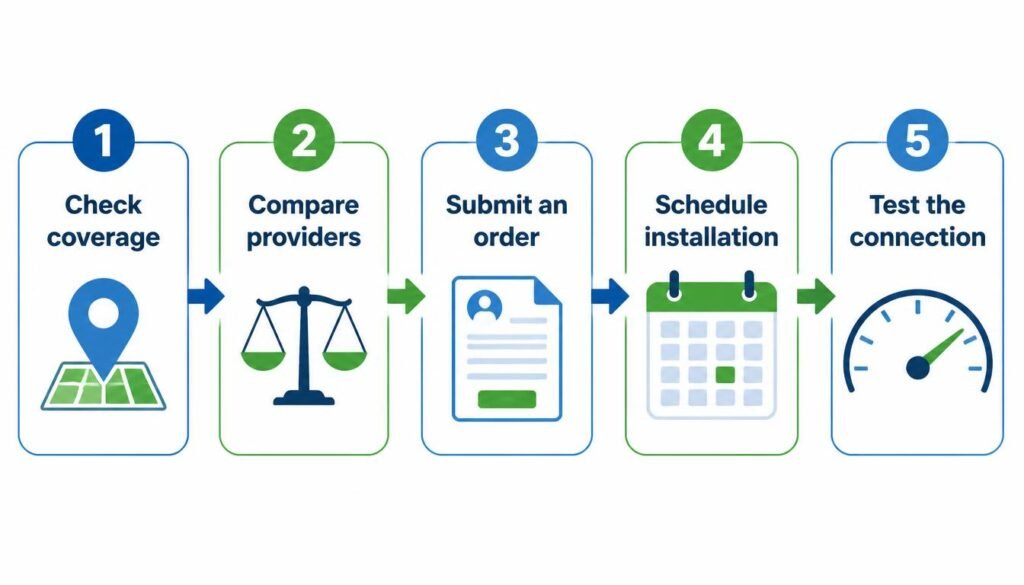
Allow for building access, cable routing, equipment placement, power availability, and the possibility of extra work or permissions. US providers cited here describe appointments of roughly one to four hours, but that says nothing about the wait before the appointment. Coverage, building conditions, technician availability, and provider procedures change the schedule, so ask for an expected timeline in writing.
Equipment and Wiring Explained
- Optical fiber cable: the thin cable that brings light signals to your property.
- ONT (optical network terminal): converts the fiber’s light signals into a form your network equipment can use. Glo describes it as a small box mounted on a wall inside or outside the home.
- Router: shares the connection with your devices over WiFi and Ethernet.
- Integrated gateway: a single device combining ONT and router functions.
- Ethernet cable: connects wired devices such as a computer or TV for a stable link.

Ask your provider whether equipment is included, leased, or sold, and whether your own router can be used. Once connected, you may need your router’s admin page. Our guide to accessing your router settings explains how.
Installation Costs and Monthly Packages
I could not verify current prices on official pages, and third-party figures conflicted, so none are quoted here. Costs vary by provider, package, and location, and they change often. Ask each provider for:
- The monthly charge, and whether it includes taxes
- The installation fee and whether it can be paid in instalments
- Equipment charges or deposits
- Any advance payment. PTCL states that some packages include three months advance charges plus installation, so compare the total first payment, not only the monthly number.
- Charges for extra services such as TV or phone
What to Do When Fiber Is Unavailable
- Ask whether your area is planned for expansion and whether you can register interest.
- Check other fiber providers, because coverage differs.
- Ask your building management or housing society whether access permissions are involved. Building access, landlord approval, or installation restrictions may apply in some cases, but they are not universal.
- Use another broadband option as a temporary solution if needed. It is not fiber, so compare its speed and reliability separately.
Common Mistakes to Avoid
- Trusting a city-level coverage answer instead of an address check
- Paying installation charges before serviceability is confirmed
- Choosing only by advertised speed
- Not asking what is included in the first payment
- Assuming “fiber” in marketing means fiber to the home
- Ignoring equipment, contract, and fair usage terms
Troubleshooting and Verification After Installation
How to verify real fiber. Ask the provider whether your connection is FTTH, FTTB, or a hybrid design. Look for an ONT or integrated optical gateway where the fiber enters. Compare your plan’s stated download and upload speeds with a wired speed test run from a computer connected by Ethernet. Many ONTs have an indicator for optical signal, but labels vary, so check the provider’s guide.
If there is no internet after installation:
- Confirm the ONT or gateway has power and its status lights have settled.
- Check that the cable between the ONT and your router is firmly seated in the correct port. Do not bend or pull the fiber cable sharply.
- Test with a wired device to rule out WiFi.
- Test a second device to see whether the problem is one device or the whole network. Our guide on troubleshooting common WiFi connection problems covers this in detail.
- Restart the router and gateway following your provider’s instructions.
- Contact the provider with your order or reference number if the problem continues.
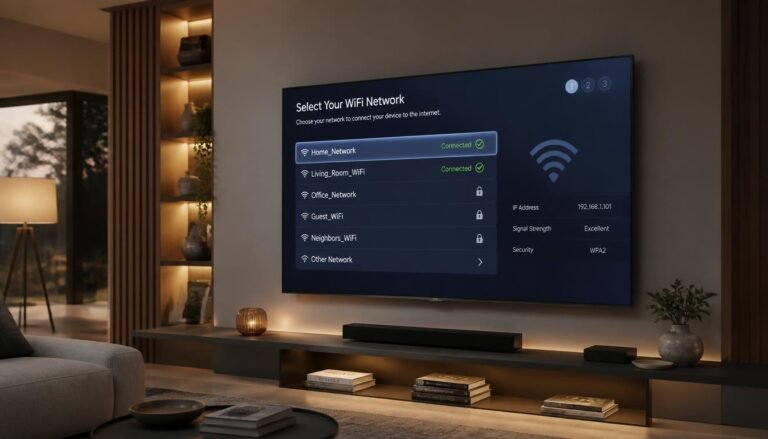
If speeds seem low, compare wired and WiFi results first. A weak wireless signal can look like a slow fiber line, and our guide to improving a weak WiFi signal at home shows how to separate them. If uploads specifically are slow, see why your upload speed may be low. Once the connection works, you can move on to connecting a TV to your home WiFi network.
FAQ (How to get fiber Internet)
How do they install fiber internet to a house?
A technician usually checks the cable route, connects the outside fiber line to your property, and installs an optical network terminal or integrated gateway where the cable enters. A router then connects to that device, and the technician tests the signal. Exact steps and equipment depend on the provider and your building.
Is fiber better than PTCL?
PTCL is a provider, while fiber is a connection technology, so the question mixes two categories. PTCL also sells Flash Fiber. Compare PTCL Flash Fiber with other services at your address using availability, reliability, speeds, pricing, upload performance, and support. No blanket winner exists.
Is fiber better than WiFi?
The comparison is not technically equivalent. Fiber is a way of delivering internet to your home, while WiFi is a wireless way to connect devices to your router. A fiber connection usually still feeds a WiFi router, so the two normally work together.
How to get a fiber connection?
Check whether a provider serves your exact address, compare packages and fees, then submit an order request through an official channel such as the provider website or helpline. After address verification, schedule installation. Confirm charges, equipment, and terms before paying. Then test the connection after activation.
How can I check whether fiber internet is available at my address?
Use the coverage or availability tool on the provider website, enter the full address, and compare results from more than one provider. If the tool is unclear, call the official helpline and ask whether your exact street, building, or house number is serviceable. A city level answer is not enough.
How much does fiber internet installation cost in Pakistan?
Costs vary by provider, package, and location, and published figures change often. Ask each provider for the monthly charge, installation fee, equipment charges, advance payment, and taxes in writing or on the order screen. PTCL states that some packages include advance charges and installation, so compare the total first payment.
Can I order fiber internet online?
Some providers offer online sign up or request forms, and PTCL and Nayatel both show online options on their official sites. An online request usually starts the process only. Address verification and a physical installation visit may still be needed, so do not assume the connection can be completed entirely online.
Which fiber internet providers are available in Lahore?
Providers reported to offer fiber services in Lahore include PTCL Flash Fiber, StormFiber, Nayatel, and Optix, but coverage differs by area and changes over time. Check each provider for your exact address. Being listed for a city does not mean your street, society, or building is covered.
What happens if fiber internet is not available in my area?
Ask the provider whether your area is planned for expansion and whether you can register interest. Check other fiber providers, because coverage differs. If none serve you, other broadband options may work temporarily, but they are not fiber. Ask your building management or housing society if access permissions may be blocking installation.
What equipment is needed for fiber internet at home?
A fiber connection typically needs an optical network terminal, or ONT, which converts light signals into data your devices can use, plus a router. Some providers supply a combined gateway. Ethernet cables help wired devices. Ask your provider which equipment is included, leased, or sold, and whether your own router works.
Conclusion
The most important step in how to get fiber internet is to check your exact home address with local providers before choosing a package or paying installation charges. Compare verified availability, then ask each provider about current fees, equipment, contract terms, and installation requirements. If a provider cannot confirm your address, keep comparing, because coverage differs from one provider to the next.




One Comment