
How Fast Is 5G Home Internet: Complete Speed Guide (2027)
Knowing how fast is 5G home internet helps households judge whether Fixed Wireless Access (FWA) can replace a traditional cable or fiber connection before they sign a contract.
Quick Answer: How Fast Is 5G Home Internet
- Download Speed: Average 100 Mbps to 300 Mbps on mid-band (Sub-6 GHz) spectrum.
- Peak Speed: mmWave can pass 1000 Mbps with direct line of sight to the cell node.
- Upload Speed: 10 Mbps to 50 Mbps for most residential connections.
- Latency Rate: Typical ping of 25 ms to 45 ms under normal network conditions.
Table of Contents
5G Home Internet Performance Matrix: Technology & Speed Breakdown
| 5G Band / Connection Type | Expected Download Speed | Expected Upload Speed | Latency & Ideal Use Case |
| Sub-6 GHz low-band (600 MHz to 900 MHz) | 25 Mbps to 100 Mbps | 5 Mbps to 20 Mbps | 30 ms to 60 ms. Rural homes, web browsing, HD streaming |
| Sub-6 GHz mid-band (2.5 GHz, C-band) | 100 Mbps to 400 Mbps | 10 Mbps to 50 Mbps | 25 ms to 45 ms. Households of 2 to 5 people, 4K streaming, remote work, casual gaming |
| mmWave (24 GHz to 47 GHz) | 300 Mbps to 1000+ Mbps | 25 Mbps to 75 Mbps | 15 ms to 30 ms. Line of sight to the node, dense urban blocks, heavy multi-device use |
| 4G LTE fallback | 25 Mbps to 50 Mbps | 4 Mbps to 5 Mbps | 40 ms to 80 ms. Emergency backup only |
| Gigabit fiber (reference) | 900 Mbps to 1 Gbps | 900 Mbps to 1 Gbps | 5 ms to 15 ms. Competitive gaming, large uploads, many users |
Real-World Speeds: How Fast Is 5G Home Internet?
Most households see 100 Mbps to 300 Mbps of download speed on 5G home internet, with uploads between 10 Mbps to 50 Mbps and ping between 25 ms to 45 ms. Your exact result depends on which band serves your address, how far you sit from the tower, and how busy that tower is.
Average Download Speed vs. Peak Speed
Carrier published figures give a useful baseline. T-Mobile lists typical download speeds of 133 Mbps to 415 Mbps on its Rely plan and 170 Mbps to 498 Mbps on its Amplified and All-In plans. It also states that 25% of customers see speeds below those ranges and 25% see speeds above them.
Verizon splits its plans by spectrum. According to Verizon, mid-band 5G Home plans deliver typical downloads of 50 Mbps to 85 Mbps on the entry tier, while the high-band mmWave tier lists 300 Mbps to 1000 Mbps. Independent plan listings also show a middle tier at 88 Mbps to 250 Mbps.
- Average speed: The number you will see most evenings, usually 100 Mbps to 300 Mbps on mid-band.
- Peak speed: A short burst, often late at night, that can reach 400 Mbps to 500 Mbps on mid-band and 1 Gbps on mmWave.
- Floor speed: The slow result during congestion, which can fall to 35 Mbps to 60 Mbps on a weak sector.
Peak numbers sell plans. Average numbers describe your daily experience.
Upload Speeds and Ping Latency
Upload speed is the weaker side of FWA. T-Mobile lists typical uploads of 12 Mbps to 55 Mbps, and Verizon lists 5 Mbps to 20 Mbps on mid-band plans and 25 Mbps to 75 Mbps on its mmWave tier. That is enough for video calls and cloud backups, but large file uploads take noticeably longer than on fiber.
Carrier listings show typical latency of 16 ms to 28 ms for T-Mobile and under 30 ms for Verizon. Once Wi-Fi hops and distance to the game or video server are added, homes commonly measure 25 ms to 45 ms. If your gateway connection drops while streaming high-resolution video, check our guide on how to fix wifi before blaming the carrier.
How Distance and Obstacles Change Throughput
A 5G gateway negotiates a modulation level based on signal quality. A strong signal allows dense encoding and high speeds. A weak signal forces the radio to fall back to slower, more robust encoding, so the same plan can feel twice as fast in one house as in another.
- Distance: Every extra kilometer from the tower lowers signal strength, and mmWave loses power much faster than Sub-6 GHz.
- Walls and glass: Brick, concrete, metal roofing, and Low-E window coatings absorb or reflect cellular signals.
- Trees and terrain: Dense foliage and hills block the path to the tower, and wet leaves absorb more energy.
- Weather: Heavy rain and snow reduce mmWave performance more than mid-band performance.
- Indoor placement: A gateway in a basement corner often scores far below the same gateway at a second floor window.
To improve signal strength through thick walls and window glass on wireless setups, review how to fix weak wifi signal. Separate the cellular side from the Wi-Fi side when you test. If the gateway app shows strong 5G bars but your laptop is slow, the problem is inside your home, not on the tower.
The Technology Behind 5G Home Internet (Sub-6 GHz vs. mmWave)
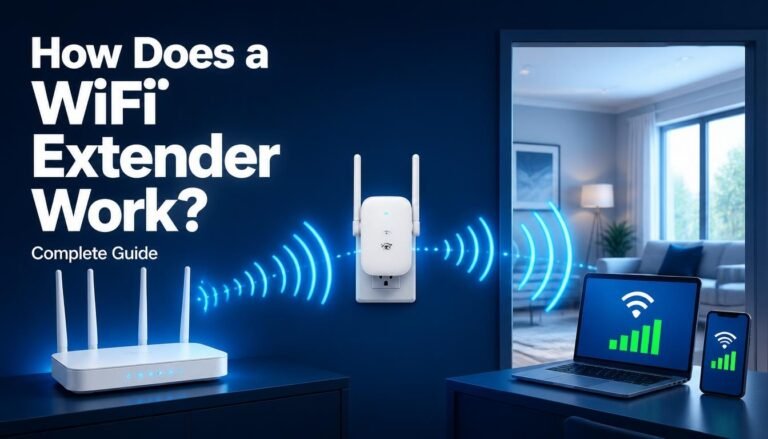
5G home internet is Fixed Wireless Access (FWA): the same 5G radio network that serves phones, delivered to a fixed gateway in your home instead of a buried cable. Speed is decided by the spectrum band, the tower sector, and the gateway placement.
How Fixed Wireless Access Works
An FWA connection moves data in four steps, with no physical ground cable between your home and the carrier:
- Cell tower sector: A 5G radio transmits to your address using a licensed frequency band.
- Gateway antennas: A dedicated 5G gateway with built-in antennas receives the signal and decodes it.
- Router function: The same gateway converts the cellular signal into a local network and broadcasts home Wi-Fi.
- Backhaul: The tower sends your traffic to the carrier core network over fiber, then out to the internet.

The wireless link between tower and gateway is the shared and variable part. Everything after the tower behaves like any other internet service.
Sub-6 GHz (Mid-band and C-band) vs. mmWave
These two spectrum families trade coverage for capacity:
- Sub-6 GHz mid-band: Including C-band near 3.7 GHz and the 2.5 GHz band, this typically delivers 100 Mbps to 400 Mbps. These signals pass through walls and glass reasonably well, and one tower covers several kilometers.
- mmWave: Ranging roughly from 24 GHz to 47 GHz, this can exceed 1000 Mbps because it uses very wide channels. Its range is short, and it generally needs direct line of sight to the cell node. Walls, trees, and even heavy rain can cut it sharply.
- Low-band: Ranging from 600 MHz to 900 MHz, this reaches the farthest and penetrates best, but its speeds are lower, so carriers use it mainly for broad coverage.
In practice, most homes on 5G FWA are served by mid-band. mmWave homes tend to be in dense urban areas close to a small cell, and they are the ones that post gigabit screenshots.

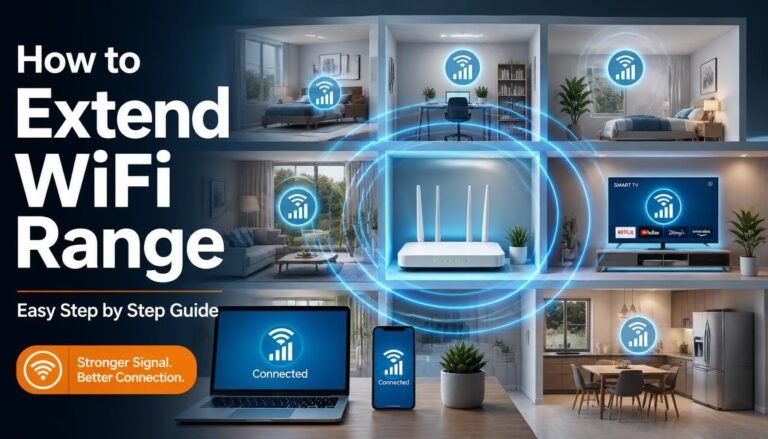
To extend 5G gateway coverage to far bedrooms or basements, read how to extend wifi range. A mesh node or access point fixes indoor Wi-Fi reach, but it cannot add speed that the cellular link does not deliver.
Network Deprioritization During Peak Hours
FWA customers share tower capacity with mobile phone users. During network congestion, carriers apply data prioritization, which means mobile phone traffic generally takes priority over home internet traffic. T-Mobile states that home internet customers may notice slower speeds when the network is congested because of this prioritization.
The pattern is predictable:
- Evenings from 6 PM to 11 PM: The highest demand from phones and home users, making it the most likely window for a speed dip.
- Late night and early morning: Usually the fastest results, with the least competition on the network.
- Events and commuting hours: Local crowds can load a sector and briefly slow nearby homes.
This is a capacity issue, not a fault in your gateway. Test at different times of day before concluding that your plan is underperforming.
When accessing your cellular gateway web admin dashboard to adjust network settings, follow how to access router settings. Many gateways also show the connected band, signal bars, and tower information there, which tells you whether you are on mid-band or low-band.
Is 5G Home Internet Fast Enough for Gaming, 4K Streaming, and Work?
Yes for most households on a mid-band connection with 100 Mbps or more. The weak points are upload speed, evening congestion, and consistency, not raw download speed.
| Activity | Approximate Bandwidth Need | What Matters Most on 5G FWA |
| HD video streaming | 5 Mbps per stream | Almost any working connection |
| 4K streaming | 25 Mbps per stream | Total bandwidth across all active screens |
| HD video call | 3 Mbps to 4 Mbps each way | Upload bandwidth and link stability |
| Online gaming | 3 Mbps to 10 Mbps | Low ping, minimal jitter, packet stability |
| Large file download | As much as available | Average download speed, not peak speed |
4K Video Streaming
A 4K stream needs about 25 Mbps. Three simultaneous 4K screens need roughly 75 Mbps, which a 100 Mbps to 300 Mbps connection handles with room left for phones and laptops. Evening slowdowns matter most here, because a drop from 150 Mbps to 40 Mbps can force a stream to step down in resolution.
Online Gaming: Ping, Jitter, and Packet Stability
Gaming depends more on responsiveness than on raw bandwidth. Three measurements decide the experience:
- Ping (latency): The round-trip time to the game server. Casual and most online play feels fine under 50 ms. Competitive shooters reward lower numbers.
- Jitter: The variation in ping from one moment to the next. FWA can show more jitter than fiber because radio conditions change.
- Packet loss: Dropped data that appears as rubber-banding or sudden stutter. It tends to rise when the signal is weak or the sector is congested.
A typical 25 ms to 45 ms FWA ping is playable for most titles. Fiber at 5 ms to 15 ms keeps an edge in fast competitive games. Large downloads are a speed question: a 100 GB game takes about 67 minutes at 200 Mbps, and about 3 hours 40 minutes at 60 Mbps.
If DNS resolution delays prevent your gateway from opening web pages quickly, check fixing DNS server not responding on Windows 11. A slow DNS lookup can look like a slow connection even when the speed test is strong.
Remote Work, Zoom Calls, and File Transfers
Video calls need only a few Mbps in each direction, so 10 Mbps to 50 Mbps of upload covers several people working from home. The limit appears with large files. A 1 GB upload takes about 7 minutes at 20 Mbps, but under 10 seconds on a 1 Gbps symmetrical fiber line. Teams that move video files, design assets, or backups every day should weigh that gap.
For work, stability matters as much as speed. Use Ethernet for your main work computer and keep a phone hotspot as a backup path.
To verify whether wireless broadband or physical optical cables fit your home best, review blog how to get fiber internet. If fiber is available at your address and you upload heavy files daily, it is usually the stronger choice.
5G Home Internet vs. Cable, Fiber, and 4G LTE
5G home internet beats 4G LTE clearly, competes well with entry and mid-tier cable, and rarely matches the consistency of gigabit fiber. The raw download number is often close. The difference is how steady that number stays.
5G vs. Cable and 1000 Mbps Fiber
Fiber carries light through a dedicated cable to your home, so it is not affected by rain, tree leaves, or the number of phones on a tower. A 1000 Mbps fiber plan typically delivers close to its rated speed in both directions at almost any hour. A 5G connection can match that speed only in rare mmWave conditions, and even then weather, distance, and tower load can move the result.
| Factor | 5G Home Internet (FWA) | Cable Internet | Gigabit Fiber |
| Connection path | Radio link to a tower sector | Coaxial line shared by neighborhood node | Dedicated optical line |
| Weather sensitivity | Moderate on mid-band, high on mmWave | Low | Very low |
| Peak hour behavior | Phone traffic can take priority | Shared neighborhood node can slow down | Rarely changes |
| Upload speed | Low to moderate (10–50 Mbps) | Low (10–35 Mbps) | Matches download (900+ Mbps) |
| Installation | Plug in a gateway, self-setup | Technician or self-kit | Technician and line to the home |
If you want a plain explanation of how a router, Wi-Fi, and the internet service relate, read is wifi and internet the same. It helps when you compare a gateway that does both jobs with separate modem and router setups.
Why 5G Outperforms 4G LTE Home Connections
5G uses wider channels, more advanced antennas, and newer spectrum than 4G LTE. Verizon lists its LTE Home fallback at 25 Mbps to 50 Mbps download with uploads near 4 Mbps to 5 Mbps. A good 5G mid-band connection delivers several times that download speed, with lower latency and better performance when many devices are active.
Regional Availability
- United States: T-Mobile runs a mid-band focused service with unlimited data, and Verizon offers both mid-band and high-band plans. Availability is address-specific, so mobile 5G coverage does not guarantee a home internet offer.
- Pakistan: Zong launched commercial 5G in more than 16 cities, including Islamabad, Karachi, Lahore, and Peshawar. Its Z HomeFi service operates as a 5G FWA home broadband option across top metropolitan centers.
- Asia and International: FWA is spreading fastest where fiber-to-the-home deployment is limited or costly to build.
When tethering devices to mobile data connections instead of dedicated home gateways, review why is my hotspot slow. A phone hotspot shares the same tower but lacks the larger antennas of a gateway, so it usually performs below a dedicated 5G gateway at the same address.
How to Speed Up 5G Home Internet Gateway Performance
Gateway placement and a wired connection fix more slow 5G problems than any plan change. Work through these steps in order and run a speed test after each one:
- Step 1: Reposition the gateway near an elevated, unobstructed window facing the tower.
Move it to a high shelf or upper floor, close to a window, and away from metal appliances and thick walls. Rotate it in small steps and wait two minutes at each position while reading the signal bars in the gateway app. - Step 2: Connect critical devices using an Ethernet cable rather than Wi-Fi.
Plug your work computer, gaming console, or streaming box into the gateway LAN port. A wire removes Wi-Fi interference and gives you a clean reading of what the 5G link can deliver. - Step 3: Connect to the 5 GHz or 6 GHz Wi-Fi radio band.
The 2.4 GHz band reaches farther but is slower and crowded. The 5 GHz and 6 GHz bands give much higher speeds at short to medium range. If your laptop does not list the faster band or any network at all, read fixing the Windows 11 no Wi-Fi option bug. - Step 4: Restart the gateway to re-register on a clearer cell tower sector.
Power it off for 30 seconds, then power it on and wait up to five minutes for it to reconnect. A restart can move the gateway to a less loaded sector or a better band. - Step 5: Test at different times and compare.
Run a speed test in the morning, the afternoon, and after 8 PM. A large evening drop points to tower congestion, not a home setup problem. Keep a simple log of results for a week to show pattern data to carrier support.

To monitor data consumption and bandwidth allowances during heavy downloads, consult how much hotspot do I have left. Most 5G home plans include unlimited data, but a phone backup connection or a hotspot plan often does not, so check which one your devices are using.
If your speeds stay poor after these steps, ask the carrier whether another band or a different gateway model is available at your address.
Frequently Asked Questions
Is 5G good enough for home internet?
Yes, for most households. A mid-band 5G home internet connection typically delivers 100 Mbps to 300 Mbps, which covers 4K streaming, video calls, and casual gaming for several people. It is less suitable for homes that need steady symmetrical speeds or heavy daily uploads, where fiber performs better
Is 500 Mbps the same as 5G?
No. Mbps measures speed, while 5G is a cellular technology generation. A 5G home connection can deliver 500 Mbps in strong mid-band or mmWave conditions, but typical results are lower. A 500 Mbps cable or fiber plan is a bandwidth rate tier, not a wireless network type.
Is 5G faster than WiFi?
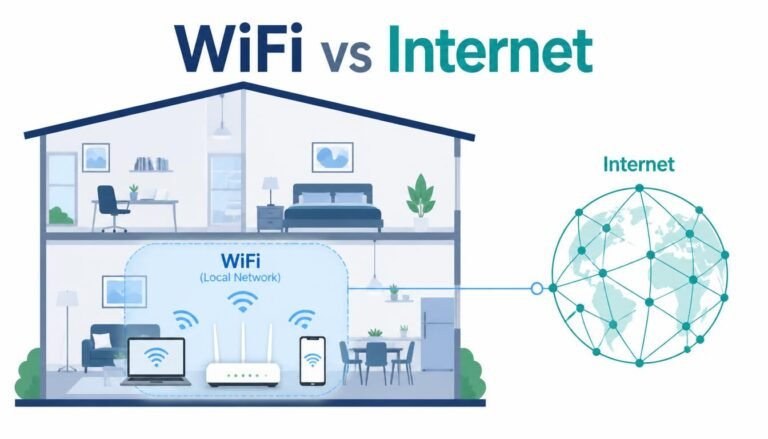
They do different jobs, so direct comparison is misleading. 5G brings internet to your gateway from a tower, and Wi-Fi shares it inside your home. Your speed is limited by the slower link. A fast Wi-Fi 6 router cannot exceed the 5G link feeding it, and a strong 5G link can be slowed by weak indoor Wi-Fi.
Is 5G faster than 1000 Mbps?
Usually no. Most 5G home plans deliver 100 Mbps to 400 Mbps in typical use. Only mmWave connections with line of sight reach 1000 Mbps or more, and results vary with weather and tower load. A 1 Gbps fiber line delivers its rated speed far more consistently.
How fast is 5G internet in Mbps?
Real home results are usually 100 Mbps to 300 Mbps download and 10 Mbps to 50 Mbps upload on mid-band spectrum. Carrier-published ranges run from about 50 Mbps to nearly 500 Mbps, and mmWave can exceed 1000 Mbps. Phone 5G can differ from home gateway 5G, so test your exact address.
Is 5G internet fast enough for gaming?
Yes for most games. A typical ping of 25 ms to 45 ms supports casual and many competitive titles, and gaming needs only a few Mbps of bandwidth. Watch jitter and packet loss during peak hours, and use Ethernet for consoles and PCs. Fiber still leads for top-level esports.
How fast is 5G home internet in Pakistan?
Zong operates 5G services and its Z HomeFi FWA service across major metropolitan cities. While pre-launch trials recorded speeds over 1.4 Gbps, real-world residential home averages typically deliver between 100 Mbps and 300 Mbps depending on sector capacity and proximity to the cell site.
How does 5G home internet compare to fiber?
Fiber is more consistent, symmetrical, and lower in latency, with typical 5 ms to 15 ms ping and equal upload and download speeds. 5G home internet is faster to set up, needs no cable installation to the house, and works where fiber is not built. Choose fiber when available, and 5G FWA when it is not.
Final Thoughts on 5G Home Internet Speeds
So, how fast is 5G home internet? For most homes, it is 100 Mbps to 300 Mbps down, 10 Mbps to 50 Mbps up, and 25 ms to 45 ms of latency. That is fast enough for 4K streaming, video calls, and most gaming, but it is not as steady as gigabit fiber.
Four core optimization rules:
- Position near high windows: Place your gateway on an upper floor facing the cell tower.
- Use 5 GHz / 6 GHz Wi-Fi: Avoid 2.4 GHz interference for local high-speed tasks.
- Wire critical systems: Use Ethernet cables for gaming consoles and work PCs.
- Test during peak hours: Monitor speeds between 6 PM and 11 PM to check for sector deprioritization.
If fiber reaches your street, it remains the stronger long-term choice for consistency and uploads. If it does not, a well-placed 5G gateway is a capable and quick-to-install alternative.