
Why Is My Hotspot Slow? Causes and Fixes Easy Guide (2026)
Your phone loads a video in seconds, yet your laptop on the same phone’s hotspot crawls. If you are asking why is my hotspot slow, the cause is usually one of a few links in the chain between the cell tower and your device.
This guide shows you how to find the weak link first, then fix it in a sensible order, without wasting time on resets or paid upgrades.
Quick Answer (Why Is My Hotspot Slow?)
Quick Answer: A hotspot is slow when something limits the cellular connection, the carrier, or the Wi-Fi link to your device. Common causes are weak signal, congestion, plan restrictions, and too many connected devices. Run a speed test on the phone and on the connected device, then compare the results.
Table of Contents
| Symptom | Likely Cause | What to Try |
|---|---|---|
| Phone internet is fast, but the laptop on the hotspot is slow | Weak local Wi-Fi link, hotspot band, laptop problem, or hotspot-specific carrier rules | Move the laptop within a few feet, test USB tethering, check your hotspot allowance |
| Both the phone and the connected device are slow | Weak cellular signal, congestion, or plan limits | Move to a window or higher spot, retest later, check your plan and usage |
| Speed drops during busy hours | Network congestion or carrier traffic management | Test at a quieter time and compare with the same spot at a busy time |
| Only one connected device is slow | That device’s Wi-Fi adapter, background downloads, or software | Pause updates and syncing, restart it, test another device |
| Speed is poor when the phone is far from the laptop | Distance or interference on the local link | Move closer, keep the phone uncovered, test the other band |
| Hotspot slows after extended use | Heat, battery saving, or a used hotspot allowance | Let the phone cool, plug it in, check hotspot usage |
These are possibilities, not confirmed diagnoses. The tests below help you narrow them down.
Why a Mobile Hotspot Becomes Slow
A hotspot is a chain with four links: the cellular network, the phone’s connection, the local Wi-Fi link between phone and device, and the connected device. A slowdown at any link feels the same to you. The diagnostic work is finding which one.

The Phone Can Be Fast While the Hotspot Is Slow
A speed test on the phone measures only the phone’s own connection. It does not measure the Wi-Fi link or what the laptop receives. That is why “my data is fast but my hotspot is slow” is possible. The local link, the laptop, or a hotspot-specific carrier rule can each cut speed without lowering the phone’s result.
Weak Signal and Congestion
A hotspot cannot be faster than the cellular connection behind it. Weak coverage, a crowded tower, or a busy time of day can all reduce speed. If your phone is also slow in the same spot, start here.
Carrier Hotspot Limits
Some mobile plans treat hotspot data differently, with a separate allowance, reduced speeds after that allowance, or different priority during congestion. To see your usage, read how much hotspot data you have left, and for plan background see whether a hotspot costs money.
Settings, Heat, and Connected Devices
Battery saving modes, heat, an enabled Data Saver, too many clients, and background downloads on any connected device can all reduce what reaches your screen. Each is covered in the steps below.
Wi-Fi Does Not Mean Internet
A device can show a strong Wi-Fi connection to the hotspot while the phone has little or no internet. For the difference, see is Wi-Fi and internet the same.
Measure First: Compare Phone Speed and Hotspot Speed
- Stand where you normally use the hotspot. Keep the laptop within a few feet of the phone.
- Run a speed test on the phone with the hotspot on.
- Run a speed test on the connected device in the same spot, right after.
- Compare download speed, upload speed, and latency (the delay, in milliseconds).

Speed tests vary by test server, time, and network conditions, so repeat the test two or three times and judge the pattern, not a single result.
| What you see | What it suggests |
|---|---|
| Phone slow, laptop slow | The cellular side: signal, congestion, plan |
| Phone fast, laptop much slower | The local link, the laptop, or hotspot-specific rules |
| Speeds fine, but video calls or games stutter | High latency or an unstable signal, not a low download speed |
Step-by-Step Troubleshooting
Work through these in order. Each step says what to do, why it helps, and what the result tells you.
- Compare mobile data with hotspot speed. Use the test above. Why: it shows whether the problem is the cellular side or the hotspot side. Result: slow on both points to signal, congestion, or plan limits.
- Check cellular signal and try another spot. Move near a window or to a higher floor and keep the phone out of bags and pockets. Why: the hotspot cannot outrun its cellular signal. Result: if speed jumps, coverage was the cause.
- Toggle Airplane Mode briefly. Turn it on for about ten seconds, then off. Why: it forces the phone to re-register with the network. Result: a better tower connection can help, but it changes nothing if the plan is the limit.
- Restart the phone and reconnect the device. Why: it clears temporary network glitches on both sides. Result: if it helps only briefly, look at heat, battery settings, or plan limits.
- Reduce what is using the connection. Disconnect devices you are not using and pause large downloads, cloud backups, and updates on every connected device. Google says an Android hotspot can share with up to 10 devices, but fewer devices means more bandwidth for each. Result: if speed rises, the connection was shared too thinly.
- Move the device closer and cut interference. Keep the laptop within a few feet of the phone with nothing dense in between. For wider Wi-Fi interference guidance, see fixing a weak Wi-Fi signal. Result: improvement points to the local link.
- Test the hotspot band, if your phone allows it. On many phones, 5 GHz gives higher local speeds at short range, and 2.4 GHz reaches farther and passes through obstacles better. Actual results depend on hardware and surroundings, so test, do not assume.
- Android: look under Settings > Network and Internet or Connections > Hotspot and Tethering > Wi-Fi hotspot, then look for an AP band or compatibility option. Names vary by brand and Android version.
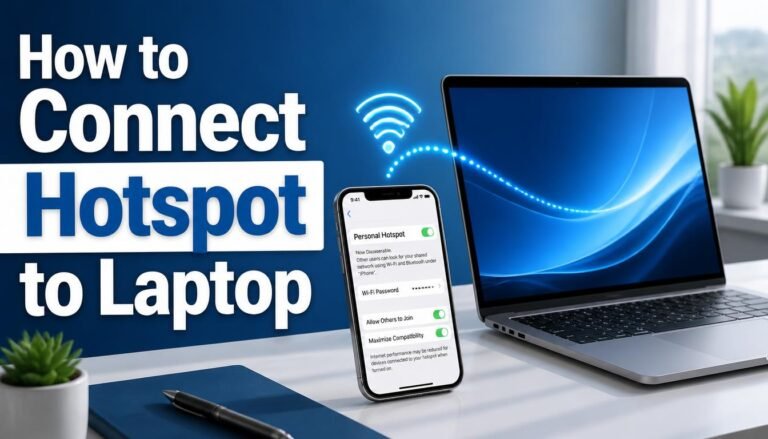
- iPhone: open Settings > Personal Hotspot. Maximize Compatibility, on supported iPhones, uses 2.4 GHz for older devices, and Apple says it may reduce performance and security. Test it on and off.
- Check your plan and hotspot usage. Look at your carrier app or account for the hotspot allowance and any reduced-speed notice. Why: a used allowance can slow only the hotspot. Result: if you hit a limit, no phone setting will override it. Contact the carrier to confirm.
- Check battery saver, Low Power Mode, Data Saver, and heat. On Android, Google says to turn Data Saver off to tether by Wi-Fi, and recommends plugging the phone in while tethering. On iPhone, turn Low Power Mode off in Settings > Battery during heavy use. If the phone is hot, let it cool and test again. Do not assume heat is the cause without a before-and-after test.
- Update software. Update the phone and the connected device if updates are available. Result: helps with known bugs, but not with weak signal.
- Test USB tethering. Connect the phone to the laptop with a cable, then enable USB tethering (Android: Hotspot and tethering). Why: it bypasses the phone-to-laptop Wi-Fi link. Result: faster and steadier means the local link was the problem. If not, the cause is cellular or carrier-side. Google notes that Macs cannot tether with Android by USB.
- Check the laptop itself (optional). On Windows, the Wi-Fi properties can show the link speed and band the laptop is using. This measures the Wi-Fi link to the phone, not the phone’s cellular speed. Labels vary by Windows version.
- Reset network settings, only as a last resort. On iPhone: Settings > General > Transfer or Reset iPhone > Reset > Reset Network Settings, per Apple’s guidance. This removes saved Wi-Fi networks and related settings, so note passwords first. Try it only after the steps above fail.
If your laptop needs help using mobile data, see how to use your mobile data on a laptop. On an iPhone, see how to turn on the hotspot.
Which Result Points to Which Problem?

| What you observe | What to investigate | Caution |
|---|---|---|
| The phone itself has slow data | Coverage, congestion, plan limits, outages | Check the carrier’s outage status |
| Phone fast, connected device slow | Local Wi-Fi link, band, device, hotspot rules | Test USB tethering to separate causes |
| Speed improves when closer | Distance or interference | Not proof of the only cause |
| Slow only at busy times | Congestion or traffic management | Retest in the same spot at a quiet time |
| Only one device is slow | That device’s adapter, software, background tasks | Test with a second device |
| Slower as the phone heats up | Possible heat effects | Cool and retest before concluding |
Wi-Fi Hotspot or USB Tethering?
| Wi-Fi hotspot | USB tethering | |
|---|---|---|
| Local link | Wireless | Cable |
| Can be more stable | Sometimes | Often, since it skips the Wi-Fi link |
| Fixes weak cellular signal | No | No |
| Bypasses carrier limits | No | No |
| Limits | Distance, interference | Needs a cable and supported devices |
Support depends on your phone, plan, cable, and computer.
Laptops, Tablets, TVs, and Consoles
Laptops often suffer from background updates and cloud syncing. Gaming and calls depend on latency, jitter (variation in delay), and packet loss (data that never arrives), not just download speed. A speed test can look fine while a game still lags on an unstable mobile connection. Some carriers also restrict hotspot use with game systems and TVs. T-Mobile’s Mobile Hotspot support page, for example, says it does not support connecting game systems or TVs, so check your own plan terms.
Fixes That Rarely Help
- Closing apps on the phone rarely changes cellular speed. Background activity on the connected devices matters more.
- Unknown hotspot booster apps are unnecessary and can be unsafe.
- Rooting, jailbreaking, or changing APN settings without official carrier instructions is risky.
- Repeated factory resets do not fix a plan limit or poor coverage.
- Paying for an upgrade before checking usage may not help if the cause is signal.
Conclusion
The fastest way to answer “why is my hotspot slow” is to compare the phone’s speed with the connected device’s speed, then follow the result. If both are slow, look at signal, congestion, and your plan. If only the device is slow, look at the local link, the device, and hotspot rules. Your best next step is to run both speed tests in the same spot and check your hotspot allowance with your carrier.
FAQs
How do I make my hotspot faster?
Start by improving the cellular signal: move the phone to a window or higher spot and keep it uncovered. Then keep the connected device close, disconnect extra devices, pause large downloads, and try USB tethering. Check your plan for hotspot limits, because settings cannot overcome a carrier restriction.
Why is my hotspot so slow but my data is fast?
The phone’s own speed test measures only the phone. A hotspot adds a local Wi-Fi link, a connected device, and possibly carrier hotspot rules. Compare a speed test on both devices, move closer, test the other band, and check your hotspot allowance before blaming the cell signal.
Why is my iPhone hotspot so slow?
Common causes are weak signal, Low Power Mode, plan limits, or the Maximize Compatibility setting, which Apple says uses 2.4 GHz and may reduce performance. Check Settings > Personal Hotspot, test it off if your device supports 5 GHz, and compare phone and laptop speeds.
How do I slow down my hotspot speed?
To limit hotspot use on purpose, limit connected devices, set the laptop’s Wi-Fi network as a metered connection, and monitor usage or set a data warning in the phone’s data settings. Keep a hotspot password. Avoid hidden settings, APN edits, and unknown apps.
Why is my Android hotspot so slow?
Check Data Saver first, because Google says to turn it off when sharing by Wi-Fi. Then test the hotspot band, plug in the phone, check signal, and review your plan’s hotspot allowance. Menu names vary, but look under Network and Internet, then Hotspot and tethering.
Why is my hotspot slow on my laptop?
A laptop can be slow because of background updates, a weak Wi-Fi link, or driver issues, even when the phone is fast. Pause sync and update tasks, move the laptop closer to the phone, and test USB tethering. If another device is fast on the same hotspot, focus on the laptop.
Does a carrier limit hotspot speed?
Some do. Google notes that some carriers limit or charge extra for tethering, and carrier pages describe slower speeds after a hotspot allowance is used. Terms vary by plan, so check your current plan and usage on the carrier’s official site or app.
Is USB tethering faster than a Wi-Fi hotspot?
It can be more stable because it removes the phone-to-device Wi-Fi link, but it cannot raise cellular speed or bypass carrier limits. Support depends on the phone, cable, and computer. Google notes that Macs cannot tether with Android by USB.
Does the number of connected devices slow down a hotspot?
Yes, it can, because connected devices share the same cellular connection and one local Wi-Fi radio. Google says an Android hotspot can share with up to 10 devices, but fewer devices usually leave more bandwidth for each. Disconnect idle devices and pause large downloads.