
How to Get Free Internet 12 Legitimate Ways That’s work 2026
Need an internet connection but do not want to spend money on another data package or monthly broadband bill? Several legitimate options can help, depending on where you live, what device you use, and how much data you need.
Quick Answer
⚡ Quick Answer: How to Get Free Internet
- Public Wi-Fi Networks: Connect at local libraries, community centers, cafes, and municipal hotspots.
- Government Assistance Programs: Qualify for low-income connectivity subsidies and subsidized internet plans.
- Free eSIM & Carrier Trials: Use promotional data passes offered by mobile network providers.
- Mobile Hotspots: Access free Wi-Fi hotspot lending programs at public libraries.
Note: Availability, data limits, and speed depend on device compatibility and local service policies.
Table of Contents
Which Free Internet Method Is Best for You?
| Your situation | Possible solution | Important limitation |
|---|---|---|
| You need internet immediately | Public Wi-Fi at a library or participating business | Coverage, opening hours, and login requirements vary |
| You need internet at home | Eligible assistance or community connectivity programs | Some options offer discounts rather than free service |
| You use an Android phone | Connect to a legitimate public Wi-Fi network | You must be within range of a usable hotspot |
| You live in Pakistan | Public Wi-Fi or an official mobile carrier promotion | Availability and free-data eligibility vary |
| You qualify for assistance | Check government-supported or provider assistance programs | Eligibility and participating providers differ |
| You are traveling | Public Wi-Fi or an eligible travel eSIM | Country and registration restrictions may apply |
1. How to Get Free Internet Through Public Wi-Fi
Public Wi-Fi is often the easiest way to access the internet without buying a mobile data package. Libraries, community centers, some cafés, hotels, transport facilities, and other participating locations may provide free connections.
However, not every Wi-Fi network you can see is free. Some require a purchase, room reservation, membership, registration, or payment after a limited session.
How to find free Wi-Fi near you
Follow these steps:
- Check nearby public facilities.
Look at local libraries, community centers, universities with public access, and businesses that advertise free Wi-Fi. - Search a hotspot directory.
Services such as WiFi Map can help locate possible hotspots. Verify the listing with the venue because availability and passwords can change. - Ask staff for the official network name. This helps you avoid connecting to a fake hotspot with a similar name.
- Check the access conditions. Confirm whether the connection is free, whether registration is required, and how long the session lasts.
- Connect through the official sign-in page. Some networks open a login page where you must accept terms or enter a code provided by the venue.
How to connect to a public Wi-Fi network
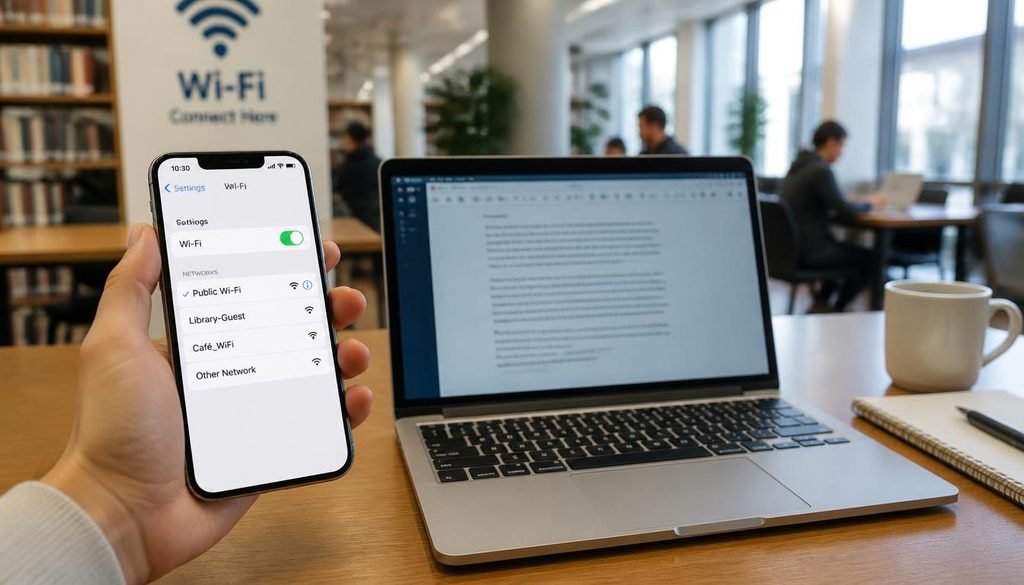
On most phones, open Settings, select Wi-Fi or Internet, turn Wi-Fi on, and choose the network provided by the venue. Complete any required sign-in steps.
On a Windows laptop, select the Wi-Fi icon in the taskbar, choose the correct network, and follow the connection prompts.
If the network connects but websites do not load, open a browser and try visiting an ordinary website to trigger the sign-in page.
Connecting a smartphone to a free public Wi-Fi network
For related help, see our guide to fixing Wi-Fi problems.
2. How to Get Free Internet at Home Without Paying
Getting free internet at home is more difficult than finding public Wi-Fi. A home broadband connection normally requires a service provider, network equipment, and an active service plan.
Still, several options are worth checking.
Check community connectivity programs
Some local governments, nonprofits, educational institutions, and community organizations provide internet access or help eligible households get connected.
Contact your local library or community support organization and ask whether it offers home connectivity assistance, device lending, or referrals to affordable internet programs.
Availability depends on your location and the funding available to the organization.
Check your internet provider’s assistance programs
Some providers have discounted plans for eligible households, students, or people participating in qualifying assistance programs.
Read the current terms carefully. A discounted plan is not automatically free, and a promotion may require an existing benefit, a qualifying address, or a new customer application.
Before applying, confirm:
- The regular monthly price.
- Whether equipment or installation costs extra.
- Whether the price changes after a promotional period.
- Whether a contract or credit check is required.
- Whether the plan has data limits.
Use institutional access when available
A school, university, workplace, or community organization may provide internet access to its members. Some institutions also offer computer labs or study spaces.
This can be a useful option if you need internet for research, applications, or assignments but cannot afford a home connection.
Important: Sharing a household member’s connection with their permission may also help, but do not access someone else’s protected Wi-Fi without authorization.
3. How to Get Free Internet on Android
Android phones can connect to free public Wi-Fi without using your mobile data allowance. The exact menu names depend on your phone manufacturer and Android version.
Step-by-step instructions
- Open Settings on your Android phone.
- Tap Network & internet, Connections, or a similarly named option.
- Select Internet or Wi-Fi.
- Turn Wi-Fi on and wait for available networks to appear.
- Choose the official public network.
- Enter the password if required.
- Complete the network’s sign-in page, if one appears.
- Open a website to confirm that the connection works.

Google provides additional instructions in its official Android Wi-Fi guide.
Check your mobile data balance and promotions
If you need internet when Wi-Fi is unavailable, open your mobile provider’s official app or website. Check your remaining data, promotional offers, eligibility requirements, and expiration dates.
Some offers are restricted to particular apps, selected customers, or specific times of day. A social-media data allowance, for example, may not cover general web browsing.
What if your Android phone cannot connect?
Check whether the network requires a sign-in page, whether the signal is strong enough, and whether the hotspot has reached its device limit.
If Wi-Fi is missing entirely from your Windows computer, our guide to the Windows 11 Wi-Fi option missing problem may help with that separate issue.
4. How to Get Free Internet on Your Phone Without Wi-Fi
Without Wi-Fi, your phone generally needs a cellular data connection or another supported internet technology.
There is no universal phone setting that creates free mobile data. However, you can check these legitimate options.
Mobile carrier promotions
Mobile carriers sometimes offer bonus data, limited promotional allowances, or app-specific data packages. These offers may depend on your plan, location, recharge history, or account eligibility.
Open your carrier’s official app and read the terms before activating an offer. Confirm whether it provides general internet data or only access to selected applications.
Sponsored connectivity
Some services subsidize limited internet access through advertising, sponsorships, or partnerships. The service may require registration, viewing advertisements, or using a supported device.
Read the terms to understand which activities are covered and whether the connection is limited by speed, data, time, or location.
Free eSIM data
An eSIM is a digital SIM that can connect a compatible phone to a supported mobile network. Some providers advertise limited free data in exchange for watching advertisements.
Check the current Firsty Free eligibility and usage rules before relying on it.
An eSIM also requires a compatible device and suitable network coverage. A free plan may not provide enough data for video streaming, large downloads, or continuous hotspot use.
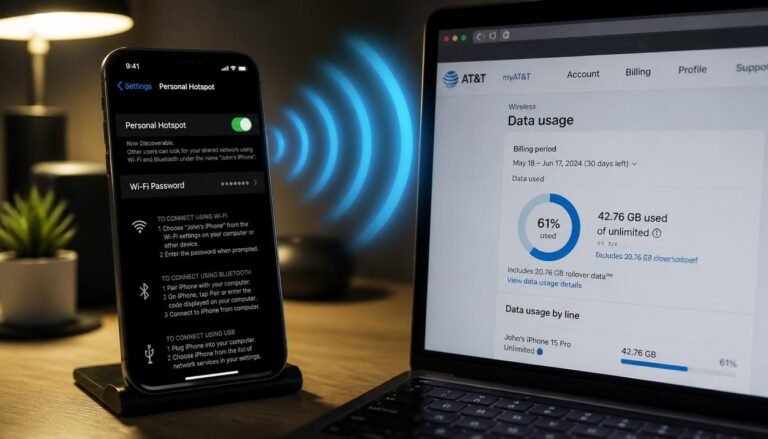
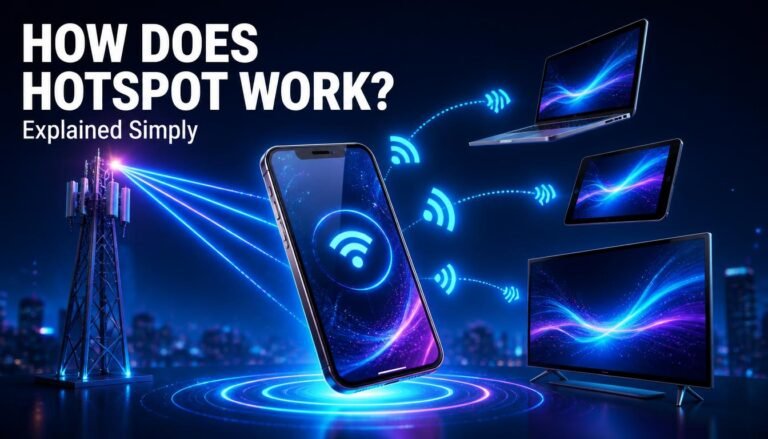
Mobile hotspot sharing
A mobile hotspot allows one device to share its existing internet connection with another device.
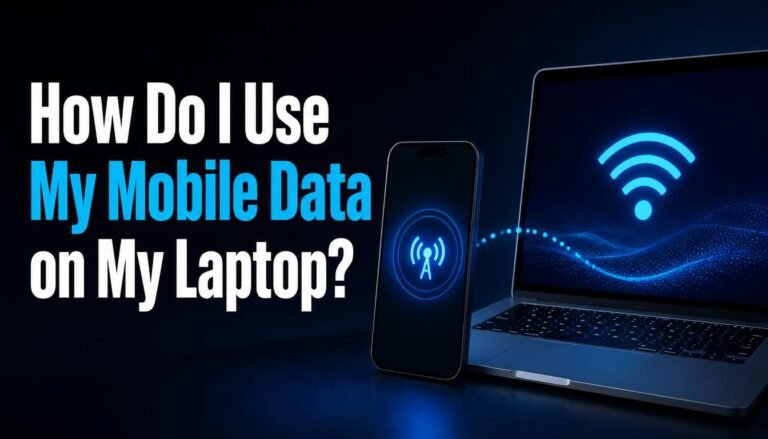
For example, you might connect a laptop to a phone’s hotspot. However, hotspot sharing does not create free data. It uses the phone’s existing mobile data allowance or another supported connection.
If you use a hotspot regularly, check how much hotspot data you have left before downloading large files.
5. How to Get Free Internet in Pakistan
If you live in Pakistan, start by checking public Wi-Fi access and the current offers available through your mobile carrier.
Free data promotions can be temporary or restricted to selected applications. Do not assume that every SIM, city, or customer is eligible for the same offer.
Check official mobile carrier offers
The main providers worth checking include Jazz, Zong, Ufone, and Telenor Pakistan.
Use their official websites or customer applications to confirm current offers:
- Jazz: Official Jazz website
- Zong: Official Zong website
- Ufone: Official Ufone Internet Offers
- Telenor Pakistan: Check the current official service channels and any applicable service information.
Ufone’s published offer page, for example, lists both paid bundles and certain promotional offers. Its displayed Snapchat offer has been listed as 100 MB of free data for one day. Because offers can change, check the current terms and availability before relying on that listing.
A promotional allowance may be limited to one application and may not cover all websites or other apps.
How to verify a free internet offer
- Open the provider’s official app or website.
- Find the current prepaid or data-offer section.
- Check the offer’s name, eligibility and validity.
- Read whether the data is general-purpose or app-specific.
- Confirm any activation charge, subscription fee or automatic renewal.
- Check your remaining balance after activation.
Do not activate a package simply because a social-media post promises free internet. An unverified code could subscribe you to a paid service.
Look for public Wi-Fi
Ask local libraries, universities, community centers, and participating businesses whether visitors can use their Wi-Fi.
Availability varies by city and institution. Confirm that the network is officially provided by the venue before connecting.
What about government-provided free internet?
Public connectivity projects and local Wi-Fi initiatives may operate in specific places, but this does not establish that free internet is available everywhere in Pakistan.
Check official government, telecommunications regulator, and service-provider announcements for current coverage. Verify that the program is active before traveling to a location or sharing personal information.
6. How to Get Free Internet From the Government
Government-supported internet assistance depends on the country, household eligibility, local service coverage, and currently funded programs.
A program may reduce a monthly bill rather than provide an entirely free connection.
United States: Check Lifeline
The US Lifeline program helps eligible consumers reduce the cost of qualifying telephone or internet services.
Eligibility can depend on household income or participation in qualifying assistance programs. The benefit is subject to program rules and participating provider availability.
Start with the official Lifeline eligibility page and Lifeline Support to check the current application process.
Do not confuse Lifeline with the Affordable Connectivity Program (ACP). The ACP ended in 2024 after its funding ran out. Do not assume that an old ACP application or benefit remains available.
Even if you qualify for Lifeline, the final cost depends on the available service and applicable terms. Verify the monthly price directly with the provider.
United Kingdom and Canada
In the UK and Canada, check official government information, local councils, public libraries, educational institutions, and service providers for current affordability programs.
Do not assume that a US benefit applies in either country. Program names, eligibility rules, participating providers, and coverage differ.
Pakistan
For Pakistan, check official government and telecommunications announcements for active public connectivity initiatives or eligible assistance schemes. Also ask local educational institutions and community facilities about their access arrangements.
If no current, applicable program can be verified for your area, use a public Wi-Fi facility or compare low-cost mobile data options instead.
7. Which Apps Give Free Internet?
An application can help you locate Wi-Fi, manage a connection, or access a limited sponsored data service. Downloading an app does not automatically give you free internet.
| Service or app | What it provides | Main limitation |
|---|---|---|
| WiFi Map | Helps users discover possible Wi-Fi hotspots | Does not independently supply mobile data; hotspot details may be outdated |
| Firsty Free | Advertised ad-supported mobile data through an eSIM | Registration, device, country and usage restrictions apply |
| Official mobile carrier app | Account management and information about eligible data promotions | Offers vary by customer and are often paid or limited |
| Public library website or app | Information about local facilities and internet access | Access depends on the library’s rules and opening hours |
What to check before installing an app
- Country availability: Make sure the service operates where you need it.
- Actual data allowance: Confirm how much general internet data is included.
- Registration: Check whether a phone number, email address or payment method is required.
- Expiration: Determine when the allowance or trial ends.
- Privacy: Review requested permissions and the provider’s privacy policy.
- Compatibility: Confirm that your phone supports the required features, including eSIM when applicable.
Avoid applications that promise unlimited free internet through secret codes, unauthorized network access, or unexplained APN changes.
8. How to Find a Wi-Fi Password for Free
You can obtain a Wi-Fi password legitimately when the network owner or administrator has authorized you to connect.
Here are appropriate options:
- Ask the owner or staff. A café, hotel, library or business may provide a guest password.
- Check official signs. Some venues display their network name and password near the reception desk.
- Use an official guest network. Follow the instructions provided by the organization.
- Check your own saved network details. Depending on the device and operating system, you may be able to view or share a saved password after authenticating.
- Ask your internet provider. If the router belongs to you, consult the provider’s instructions or account information.
On supported Android devices, saved Wi-Fi details may be available under the selected network’s settings through a sharing or QR-code option. Menu names differ between manufacturers and Android versions.
Never try to break into a protected network, steal credentials, or bypass the owner’s access controls.
9. Is There a Universal Free Internet Code?
No universal code provides free internet on every phone or network.
Mobile operators use service codes for tasks such as checking balances, subscribing to packages, or accessing account menus. These codes are specific to the carrier and can change over time.
What does ##4636## do?
On some Android devices, entering *#*#4636#*#* in the phone dialer opens a testing or diagnostic menu. Depending on the device and software version, the menu may display phone information, network status, or other diagnostic options.
However, this code does not generate free mobile data, pay your carrier bill, or authorize access to a restricted network. It may not work on every phone.
Avoid changing unfamiliar network settings simply because an online tutorial claims that doing so unlocks free internet.
How to find legitimate data codes
Check your carrier’s official website or app for current balance-checking and package-subscription instructions.
Before entering a code, verify the package price, validity, eligible SIM type, and automatic-renewal terms. If the code cannot be verified through an official source, do not assume it is safe.
10. Free Internet Safety and Privacy
Free internet can be useful, but connecting to an unfamiliar network requires care.
The US Federal Trade Commission explains that public Wi-Fi can be convenient and that modern website encryption provides important protection. Nevertheless, you should verify networks and protect sensitive accounts.
Follow these precautions:
- Verify the network name. Ask staff which network is official instead of guessing.
- Check the website address. Use HTTPS websites and pay attention to browser certificate warnings.
- Avoid suspicious sign-in pages. Do not provide passwords, payment details, or personal information to an unexpected portal.
- Keep your phone and laptop updated. Install security updates from official sources.
- Turn off automatic connections to unfamiliar networks. This reduces the chance of joining a misleading hotspot.
- Review app permissions. A hotspot-finding app should not need unrelated access without a clear reason.
- Use a trusted VPN when appropriate. A reputable VPN can add protection on untrusted networks, but it does not create free internet or replace HTTPS.
- Disconnect when finished. Remove unfamiliar saved networks if you do not plan to use them again.
Never ignore a browser certificate warning simply to get online.
11. What to Do When Free Wi-Fi Does Not Work
If a public hotspot connects but internet access fails, work through these checks in order.
Step 1: Confirm that the network is genuine
Ask the venue for the official network name. If the network requires a password or sign-in, obtain the instructions from the staff or official website.
Step 2: Check signal strength
Move closer to the access point or to the area recommended by the venue. A weak signal can interrupt the connection even when your device shows that Wi-Fi is connected.
Step 3: Reopen the sign-in page
Open a browser and try visiting a regular website. The hotspot may require you to accept terms, enter a guest code, or complete registration.
Do not enter sensitive information into an unfamiliar sign-in page.
Step 4: Forget and reconnect
Open your device’s Wi-Fi settings, select the network, choose the option to forget it, and connect again using the correct details.
Step 5: Check date and time
Incorrect device time can cause certificate and login problems. Set the date and time automatically if that option is available.
Step 6: Check VPN or security software
If the official sign-in page will not load, a VPN or network filter may interfere with the login process. Only if you trust the network and understand the risk, temporarily disconnect the VPN, complete the portal, and reconnect your protection afterward.
Do not disable your security software permanently.
Step 7: Restart Wi-Fi
Turn Wi-Fi off, wait a few seconds, and turn it back on. If necessary, restart the device.
Step 8: Check the hotspot’s restrictions
Some networks limit session length, device count, bandwidth, or the number of times you can sign in. Ask the administrator whether your session has expired.
Step 9: Contact the network administrator
If the problem continues, the hotspot itself may be offline or require a different login procedure.
For more help, read our guide to troubleshooting a weak Wi-Fi signal.
12. Best Alternatives When Free Internet Is Unavailable
Sometimes the best solution is to reduce the cost of getting online rather than search for a free service that does not exist in your area.
Compare prepaid mobile data
A prepaid package lets you pay for a defined allowance or validity period. Compare the total price, included data, coverage and expiration before subscribing.
Be especially careful with packages that advertise large amounts of data but restrict most of it to overnight hours or particular applications.
Check eligible discounted broadband
If you need a connection for work, education, video calls or several household devices, compare home broadband assistance plans and regular entry-level packages.
Calculate the full cost, including equipment, installation, taxes and any price increase after a promotion.
Use public access facilities strategically
A library or community center may provide enough connectivity for research, document downloads, applications and other occasional tasks.
Check opening hours and access rules in advance. Do not assume that a public facility allows unrestricted access or provides private space for sensitive activities.
Choose a plan based on actual usage
| Your internet needs | Practical option | What to check |
|---|---|---|
| Messaging and occasional browsing | Public Wi-Fi or a limited data promotion | Coverage, data cap and validity |
| Regular study or work | Eligible discounted broadband or a suitable prepaid plan | Monthly cost and reliability |
| Frequent video streaming | A plan with adequate general-purpose data | Speed, data limits and total cost |
| Internet while traveling | Verified public Wi-Fi or a compatible travel eSIM | Country coverage and registration eligibility |
| Emergency access | A nearby library or trusted public hotspot | Availability and opening hours |
A low-cost plan that reliably meets your needs may be more useful than a free service with very little data or unreliable access.
Practical Decision Guide
Choose the next step that best matches your situation.
- Need internet right now? Check a nearby library, community center, or participating business.
- Need internet at home? Investigate assistance eligibility, community programs and discounted broadband before considering paid alternatives.
- Need data on Android without Wi-Fi? Check your carrier’s official promotions and any eligible eSIM service.
- Live in Pakistan? Verify current Jazz, Zong, Ufone or Telenor offers through official channels and look for authorized public Wi-Fi.
- Looking for a secret code? Check your provider’s legitimate balance and data-package options instead.
- Concerned about safety? Use verified networks, protect sensitive accounts, and keep your devices updated.
Frequently Asked Questions
How to get internet data for free?
You may obtain free mobile data through a legitimate carrier promotion, an eligible sponsored connectivity service, or an ad-supported eSIM. Public Wi-Fi can also provide internet without using your mobile allowance. Check eligibility, data limits, supported countries and expiration dates before relying on an offer.
How can I get free internet without paying?
Look for public Wi-Fi at libraries, community facilities and participating businesses. You can also investigate eligible assistance programs or verified free-data offers. Free access is not universally available, and some services require registration, limit usage, or provide only a discounted connection.
Which apps give free internet?
WiFi Map can help locate potential hotspots, while services such as Firsty Free advertise limited mobile data for eligible users. Official carrier apps may also display promotions. A hotspot-finding app does not itself provide mobile data, and free-data services have eligibility and usage restrictions.
How to find a Wi-Fi password for free?
Ask the network owner or authorized staff, check official guest-network instructions, or use a publicly displayed password. On supported devices, you may also retrieve saved Wi-Fi details for a network you are authorized to access. Do not attempt to obtain passwords or access protected networks without permission.
How can I get free internet at home?
Check local community programs, educational institutions, nonprofits, and assistance plans from internet providers. Some programs provide financial help rather than completely free broadband. Confirm eligibility, equipment charges, installation fees, and the regular monthly price before applying.
How can I get free internet on Android?
Open Settings, select Wi-Fi or Internet, and connect to an authorized public hotspot. Complete the official sign-in process if required. If you need internet without Wi-Fi, check your carrier’s current promotions or a compatible free-data eSIM service.
How can I get free internet in Pakistan?
Check public Wi-Fi at authorized facilities and review current promotions through the official Jazz, Zong, Ufone or Telenor Pakistan channels. Offers may be limited to selected users, apps or periods. Verify the price, validity and data allowance before activating any package.
Can the government provide free internet?
Some government-supported programs help eligible households reduce connectivity costs. In the United States, Lifeline can reduce the cost of qualifying services for eligible consumers. Availability and eligibility differ by country, and a discount does not necessarily make the connection completely free.
Does the 4636 code give free internet?
No. On some Android phones, *#*#4636#*#* opens a testing or diagnostic menu. Its availability varies by device and software version. It does not generate free mobile data or bypass carrier billing. Check your mobile provider’s official channels for legitimate offers.
Is public Wi-Fi safe to use?
Public Wi-Fi can be useful, but you should verify the network name, use HTTPS websites, keep your device updated and avoid suspicious sign-in pages. Be careful with sensitive accounts on unfamiliar networks. Disconnect when finished and remove saved networks you no longer trust.
Conclusion
There are legitimate ways to get online without paying for every connection, but the right method depends on your location, device and internet needs. Public Wi-Fi is often the easiest starting point, while assistance programs, carrier promotions and eligible free-data services may offer other options.
Check the conditions before connecting or activating a package. If free access is unavailable, compare affordable alternatives rather than trusting promises of unlimited internet through secret codes.
For more practical help, explore Problevo’s guides to fixing Wi-Fi problems and accessing your router settings.


One Comment