How Long Do Modems Last? Signs And When To Replace (2026)
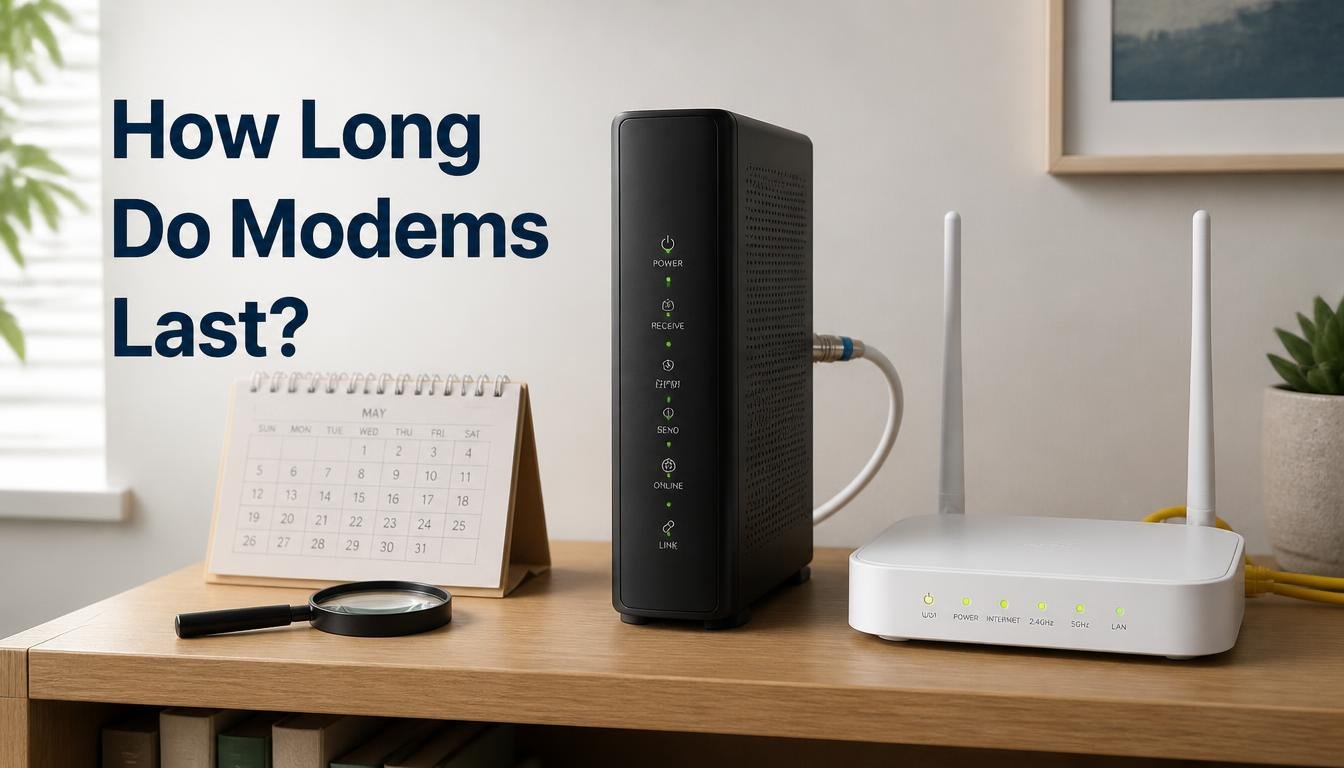
If your modem is several years old and your connection has started to misbehave, you may be asking how long do modems last and whether the hardware or your internet service provider (ISP) is the real problem.
Quick Answer
⚡ Quick Answer
A consumer modem typically lasts 3 to 5 years, though lifespan varies based on hardware quality, heat exposure, and ISP requirements. Age alone does not prove a modem needs replacing.
Key Signs Your Modem Needs Replacement:
- Persistent Disconnections: Random drops that continue after checking cables and router settings.
- ISP Incompatibility: Your modem no longer supports your internet plan’s upgraded DOCSIS standards or speeds.
- Overheating & Physical Faults: Device gets excessively hot or fails to maintain solid connection lights.
Table of Contents
| Symptom | Possible Cause | Recommended Action |
|---|---|---|
| Modem frequently disconnects | Failing hardware, poor coax or Ethernet cable, line signal problem, ISP issue | Check cables and the ISP outage page, then ask the ISP to check your line signal |
| Modem becomes unusually hot | Poor ventilation, dust, heat source, failing components | Move it to open air, keep vents clear, replace it if heat persists |
| Speed stays below the expected level | Older DOCSIS version, router limits, plan issue, congestion | Test with a wired device, compare with your plan, ask the ISP |
| Modem fails to connect after restarting | Outage, loose cable, unsupported model, failing hardware | Check outage status, reseat cables, confirm ISP support for the model |
| WiFi is weak but wired internet works | Router placement, interference, router age | Focus on the router, not the modem |
| Status lights remain abnormal | Sync failure, line problem, hardware fault | Check the manual for the light meaning, then contact the ISP |
| ISP says the modem is incompatible | Unsupported model or old DOCSIS standard | Choose a model from the ISP’s approved list |
| Internet stops during a confirmed local outage | Service outage | Wait for restoration, then restart the modem as the ISP advises |
What Is the Average Lifespan of a Modem?
There is no verified universal average. Published figures are editorial estimates, not manufacturer specifications. EPB says most modems last about 2 to 3 years, with higher quality units lasting 5 to 8. Hitron suggests considering an upgrade every two to four years because of changing technology. Afroz Ahmad gives a similar 2 to 5 year range.
Four different ideas often get mixed together:
- Physical hardware lifespan: how long the electronics keep working.
- Useful performance lifespan: how long the modem keeps up with your speed plan.
- ISP compatibility lifespan: how long your provider keeps supporting that model.
- Warranty period: the manufacturer’s coverage, which is a policy and not a prediction.
A modem that still powers on may have reached the end of its compatibility lifespan. EPB makes the same point, noting that many modems are replaced because they become outdated, not because they break.
| Equipment | What it does | What evidence supports |
|---|---|---|
| Cable modem | Connects to the coax cable line | Estimates of 2 to 8 years, often ended by compatibility |
| DSL modem | Connects over a phone line | No reliable lifespan figure found |
| Fiber ONT (optical network terminal) | Converts the fiber light signal, usually ISP owned | No reliable consumer figure, the ISP manages replacement |
| Gateway | Modem and router in one box | Depends on the weaker part and ISP support |
| WiFi router | Creates your wireless network | NETGEAR treats 4 to 5 years as a review point, not an expiry date |
What Affects How Long a Modem Lasts?
Hardware quality and component aging.
Better built units tend to hold up longer, but price alone does not guarantee durability.
Heat and ventilation.
Electronics age faster when they run hot. Keep the modem in open air, away from heaters, direct sun, and tight cabinets.
Dust and environment.
Dust blocks vents, and damp or very hot rooms add stress.
Power quality and surges.
Voltage spikes can damage power adapters and internal parts. A surge protector is a sensible precaution where the power supply is unreliable.
Firmware and support.
Many cable modems receive firmware through the ISP, so support can end without any hardware fault. Check your manufacturer’s guidance for your model.
ISP compatibility and technology changes.
A provider can retire a model or standard. This is the most common reason working modems get replaced.
Continuous operation.
Modems are normally used around the clock. No reliable source reviewed for this article shows that continuous running automatically wears them out quickly.
10 Signs Your Modem May Need Replacing
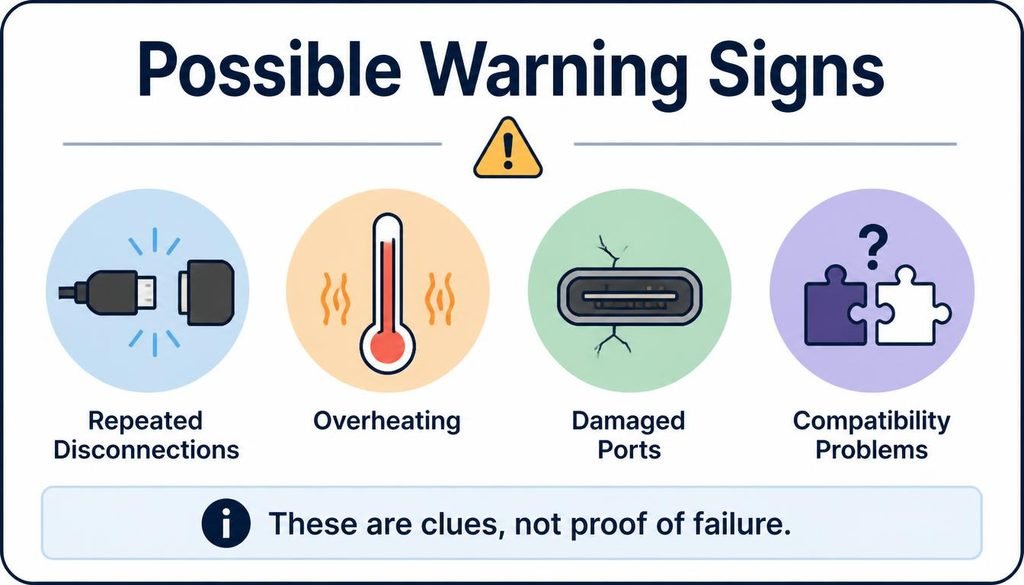
None of these proves failure on its own. Treat each as a clue and run the check first.
- Repeated unexplained disconnections.
Check the ISP outage page and cables. If only WiFi drops, work through our guide to fixing WiFi connection problems. - Connection failures after basic troubleshooting.
Confirm there is no outage and that cables are seated before blaming the modem. - Unusual overheating.
Improve airflow and clear vents. Replace it only if heat continues in a ventilated spot. - Failure to support your subscribed speed.
Test with a wired device first. The router or the plan may be the limit. - ISP says the model is no longer supported.
Ask for the approved list for your area. - Incompatibility with current service.
Check the DOCSIS version and your plan speed. - Damaged ports or power connections.
Inspect the cable and adapter. A faulty adapter can mimic a failing modem. Do not open the device. - Repeated spontaneous restarts.
Try a different outlet and check the adapter before replacing. - Failure to reconnect after an outage ends.
Confirm with the ISP that service is restored on your line. - Manufacturer support has ended, where applicable.
Check the manufacturer’s support page for your model.
Is a Five Year Old Modem Still Good?
Often yes, if it is stable, supported by your ISP, and fast enough for your plan. Five years is not a deadline.
It may be fine when it connects reliably, runs warm but not hot, appears on your ISP’s supported list, and handles your speed. Replacement becomes sensible when it drops connections repeatedly, shows damaged ports, is no longer supported, or uses an older DOCSIS standard that limits a faster plan.
How to Know Whether Your Modem Is Outdated
- Identify the exact model. Look for the model name and number on the label.
- Find its specifications. For a cable modem, note the DOCSIS version.
- Check the ISP compatibility list. Search for your exact model.
- Compare supported speeds with your plan. The modem should not be the bottleneck.
- Check manufacturer support. Look for firmware and support status for that model.
- Contact the ISP if unsure. Providers can confirm compatibility for your address.
DOCSIS (Data Over Cable Service Interface Specification) is the standard cable modems use. CableLabs lists DOCSIS 3.1 capacity up to 10 Gbps downstream and 1 to 2 Gbps upstream, and DOCSIS 4.0 up to 6 Gbps upstream. You do not need the newest standard unless your plan or ISP requires it.
How Long Do Modems and Routers Last?
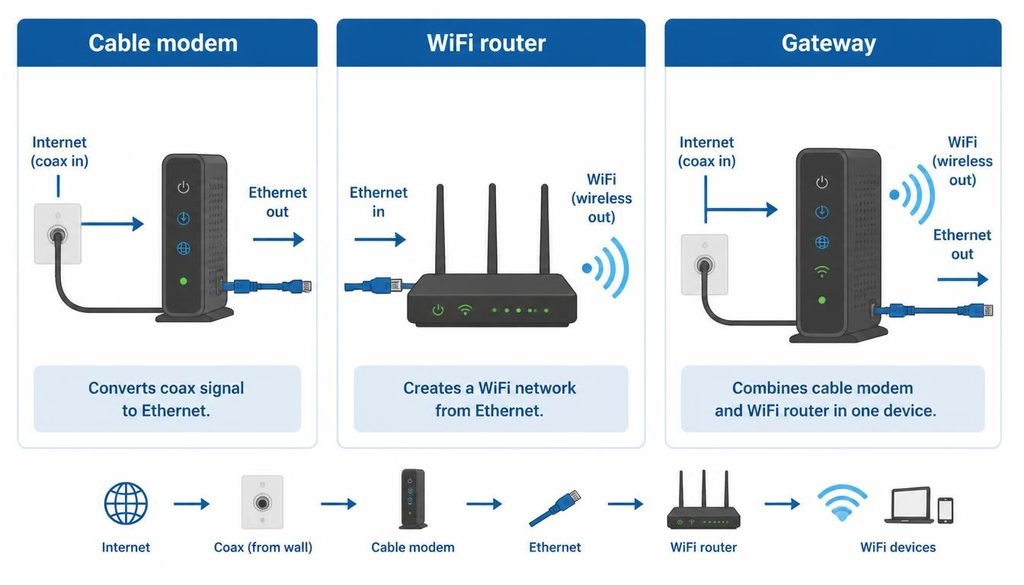
A modem brings the ISP’s signal into your home. A router shares that connection with your devices and creates WiFi. A gateway combines both.
Their lifespans differ. NETGEAR treats four to five years as a checkpoint for routers and focuses on security updates, coverage, and demand. Routers often age out because of WiFi performance and support. Modems often age out because of ISP compatibility.
| Device | Main job | Common reason to replace |
|---|---|---|
| Modem | Connects to the ISP network | ISP no longer supports it, hardware faults |
| Router | Shares internet and WiFi | Ended security updates, weak coverage, too many devices |
| Gateway | Does both | Either function fails, or the ISP changes requirements |
WiFi trouble does not mean a faulty modem. To review router firmware and settings, follow our guide to accessing your router settings.
Do I Need a New Router or Modem?
These clues narrow the possibilities. They do not give a certain diagnosis.
- Wired connection also fails: modem, cable, or service issue.
- Wired works but WiFi is unreliable: router or wireless environment.
- All devices lose internet at once: modem, ISP, or incoming line.
- Only one device has a problem: device specific issue. For a Windows PC, see our guide to fixing common Windows 11 problems.
If only a television cannot get online, our walkthrough on connecting your TV to the internet is a better first stop than a new modem.
Step by Step: Is Your Modem the Problem?
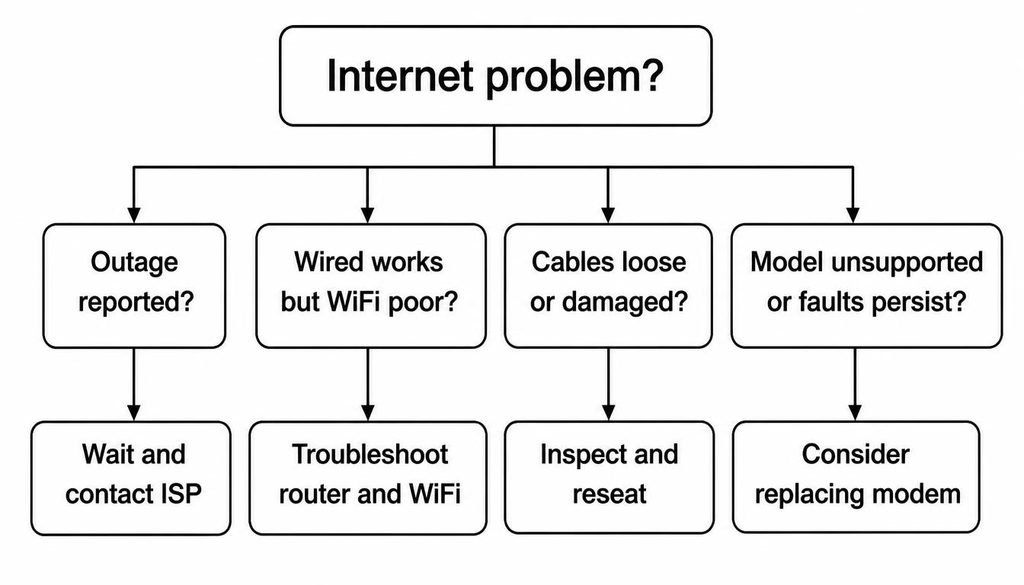
Step 1: Check for an outage.
Use your ISP’s outage page or app. Replacing hardware during an outage wastes money.
Step 2: Inspect power and connections.
Check that the power adapter, coax or Ethernet cables, and wall outlets are secure and undamaged. Do not open the modem or attempt electrical repairs.
Step 3: Restart using the recommended procedure.
Follow the manufacturer or ISP instructions. There is no universal waiting time that suits every modem.
Step 4: Test more than one device.
If one device fails and others work, the problem is probably that device. If pages fail to load while the device shows a connection, see fixing DNS server errors in Windows 11. If a laptop shows no wireless option at all, our guide to the missing Windows 11 WiFi option covers that device level issue.
Step 5: Compare wired and WiFi.
Connect a computer by Ethernet if you can. Good wired results with poor WiFi point to the router or the room. For that case, try our steps for fixing weak WiFi signals. The test has limits, because a failing modem can affect both.
Step 6: Check the model and ISP compatibility.
An unsupported or older model can cause connection or speed problems even when it powers on.
Step 7: Contact the ISP or manufacturer.
Support can check line signal, confirm compatibility, and arrange a replacement if the equipment is theirs.
How Long Do Spectrum Modems Last?
There is no verified fixed lifespan for Spectrum modems. Longevity depends on the model, its condition, and whether Spectrum still supports it.
Important: retail sources such as ModemGuides report that Spectrum ends DOCSIS 3.0 support on October 28, 2026. This could not be confirmed on Spectrum’s own pages, so verify it with Spectrum for your address. If Spectrum supplied your modem, ask Spectrum about replacement. If you own it, you manage the replacement.
How Long Do Modems Last in Pakistan?
It depends on the technology you use. Do not assume every home has a cable modem.
- Cable modem: follows the same compatibility rules as above.
- DSL equipment: depends on the line and ISP.
- Fiber ONT: PTCL says its Flash Fiber service passed 900,000 subscribers, and fiber homes use an ISP supplied ONT plus a router.
- ISP gateway: the provider usually decides replacement.
Practical factors include local ISP support, whether the ISP replaces faulty equipment, equipment availability, and power conditions. Where voltage swings are common, a surge protector is a reasonable precaution. No verified current PKR prices were available, so none are listed. Ask your ISP before buying your own equipment.
How Much Does a New Modem Cost?
In the United States, common DOCSIS 3.1 modems cost roughly USD 130 to 220 according to retail guides such as SpeedTestHQ and a July 2026 price survey (which ranged from USD 130.95 to 299.99 across six models). Multi gig and premium models cost more. The same guide reports ISP rental fees of USD 10 to 15 monthly, which is why buying can pay off over time.
Price depends on DOCSIS version, Ethernet port speed, voice support, and brand. A modem only is cheaper than a gateway, and a router is a separate purchase. Prices change often, so check current listings. Confirm ISP compatibility before buying.
Should You Replace Your Modem or Keep Using It?
| Situation | Replace or Keep? | Reason |
|---|---|---|
| Older modem works well and ISP supports it | Keep | Age alone is not failure |
| Model is unsupported by the ISP | Replace | It may lose service |
| Persistent disconnects, restarts, or overheating after checks | Replace | Likely hardware fault |
| Plan speed exceeds what the modem supports | Replace | The modem limits performance |
| WiFi weak but wired speed is fine | Keep, look at the router | Problem is probably wireless |
| Outage or line problem confirmed | Keep, call the ISP | Hardware is not the cause |
After replacing equipment, reconnect devices. For televisions, follow our guide to connecting a smart TV to WiFi. For printers, see connecting a printer to WiFi.
How to Make Your Modem Last Longer
- Keep it ventilated and away from heat sources and enclosed spaces.
- Use the correct power adapter.
- Add a surge protector where appropriate.
- Keep cables and connectors in good condition.
- Follow the manufacturer’s maintenance guidance.
- Install firmware only through official supported methods.
- Avoid unnecessary factory resets.
- Confirm ISP compatibility before changing equipment.
These steps reduce risk but cannot promise a specific number of extra years.
Frequently Asked Questions
How do I know if a modem needs replacing?
A modem may need replacing when problems persist after you rule out outages, cables, and your router. Repeated disconnections, spontaneous restarts, overheating, failure to sync, or an ISP notice that the model is unsupported are the strongest clues. Contact your ISP before buying, because the fix is sometimes a cable or a service issue.
Is a 5 year old modem still good?
Yes, it can be, if it is stable, supported by your ISP, and fast enough for your plan. Age alone is not a failure. Replace it if it drops connections repeatedly, runs very hot, or uses DOCSIS 3.0 on a faster plan. Check your ISP’s compatibility list for the exact model first.
How long do Spectrum modems last?
There is no fixed Spectrum modem lifespan. A modem remains usable while it is healthy and on Spectrum’s supported list. Retail sources report that DOCSIS 3.0 support ends on October 28, 2026, so confirm your model with Spectrum. If Spectrum supplied the modem, ask Spectrum about replacement.
How do I know if my modem is out of date?
Find the exact model and DOCSIS version, then compare both with your ISP’s approved list and your plan speed. A modem is outdated when the ISP no longer supports it, it cannot handle your plan, or the manufacturer has ended support. Contact the ISP if the list does not clearly cover your model.
How often should I replace my modem and router?
Replace them when they fail, lose support, or cannot meet your needs, not on a fixed date. NETGEAR treats four to five years as a checkpoint for routers, and some sources suggest modem upgrades every few years. Use those as review points, then check reliability, compatibility, and firmware support.
How long do modems and routers last?
Published estimates are broad, roughly two to eight years for modems and three to five years for routers, but they are estimates, not guarantees. Build quality, heat, power conditions, and ISP changes decide the real result. A modem often leaves service because of compatibility rather than hardware failure.
How much does a new modem cost?
In the United States, common DOCSIS 3.1 cable modems cost roughly USD 130 to 220, with premium multi gig models costing more. Gateways with built in WiFi are priced differently, and ISP rental fees of USD 10 to 15 monthly are reported. Prices change often, so check current listings and your ISP’s approved list.
Can an old modem cause slow internet?
Yes, but only in specific cases. An old modem can slow service if it supports an older DOCSIS version, has failing hardware, or cannot handle your plan speed. Slow WiFi, router limits, congestion, or the ISP plan are more common causes, so test with a wired device before blaming the modem.
Should I replace my modem or router first?
Replace the device that your tests point to. If a wired connection also fails, investigate the modem, cable, or service first. If wired internet works but WiFi is weak or unstable, look at router placement, settings, and age first. Contact your ISP before buying either one.
Do modems wear out if they stay on all the time?
Not automatically. Modems are normally used continuously, though heat, dust, and power surges can shorten their life over time. No reliable source reviewed for this article shows that switching a modem off nightly extends its lifespan. Good ventilation and surge protection matter more.
Final Verdict
Compatibility and reliability matter more than age. Replace a modem when your ISP no longer supports it, it cannot handle your plan, or faults persist after you have ruled out outages, cables, and the router. Keep it when it is stable and supported.
Your next step is simple: find your modem’s exact model, check it against your ISP’s requirements, and run the seven step test above before buying anything.
If you are still experiencing connection drops or need to reboot your networking equipment, follow our step-by-step guide on how to restart a Spectrum router
to properly refresh your modem and router configuration. For users who rely on mobile data sharing while on the go, make sure to read our detailed analysis on whether mobile hotspot costs money to avoid unexpected data overage fees on your monthly cell phone bill.