Does Hotspot Use Data? What Counts and What Does Not
You connect your laptop to your phone for a quick task, and a day later your data plan is almost gone. If you are asking does hotspot use data, the short answer is yes in most cases, but the amount depends on what the connected device does.
This guide explains how hotspot data is counted, how much common activities use, what happens when your phone is on WiFi, and how to measure and limit usage.
Quick Answer (Does Hotspot Use Data?)
Quick Answer: Yes, a phone hotspot normally shares your cellular data, so connected devices use your mobile plan. Turning the hotspot on does not use much by itself. Usage depends on what connected devices do. Behavior varies by phone, settings, and carrier, so check your plan and usage.
Table of Contents
| Situation | What it means | Recommended action |
|---|---|---|
| Hotspot on, no device connected | Nothing is being browsed or downloaded, so little data is expected | Turn it off when finished and check the phone’s counter if unsure |
| Laptop connected and browsing | Normal web use, usually light | Check usage after a short session |
| Laptop downloading a system update | Updates can be large and may start on their own | Pause updates and set the connection to metered |
| Streaming video on a connected TV | Video is the biggest common data user | Lower the quality and check the plan allowance |
| Phone connected to WiFi before the hotspot is turned on | On iPhone, the hotspot shares cellular data only. Some Android phones can share WiFi | Test with the phone’s cellular counter |
| Plan with a separate hotspot allowance | Hotspot data may be counted or slowed separately | Check the carrier app or account |
Does Hotspot Use Data?
Yes, usually. A phone’s hotspot takes the internet connection the phone already has and shares it. Apple’s Personal Hotspot instructions say you can only use it by sharing the iPhone’s cellular connection. Android phones usually share mobile data as well, with some exceptions covered below.
The hotspot feature itself is not the cost. The connected devices create the traffic. A laptop that is connected but idle uses little. A laptop streaming HD video uses a lot. A hotspot does not create free internet.
How Does Hotspot Data Usage Work?
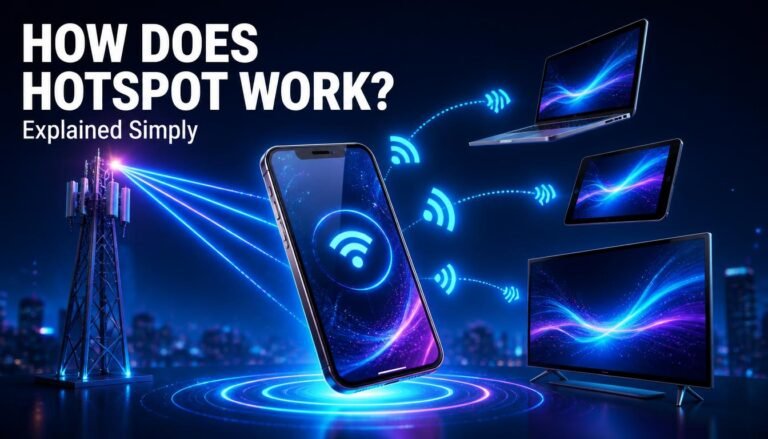
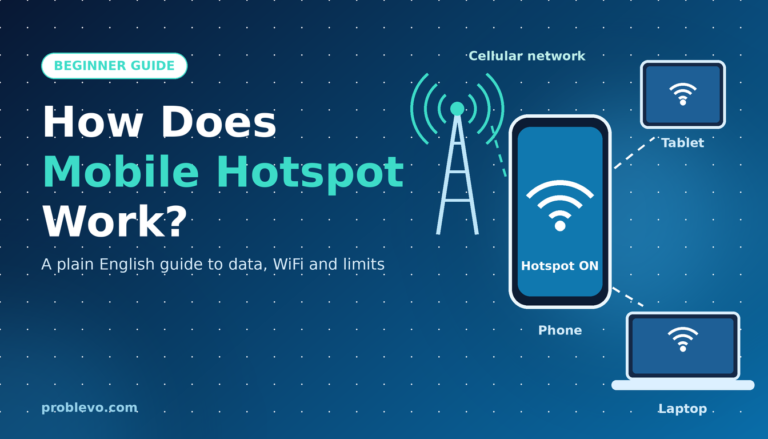
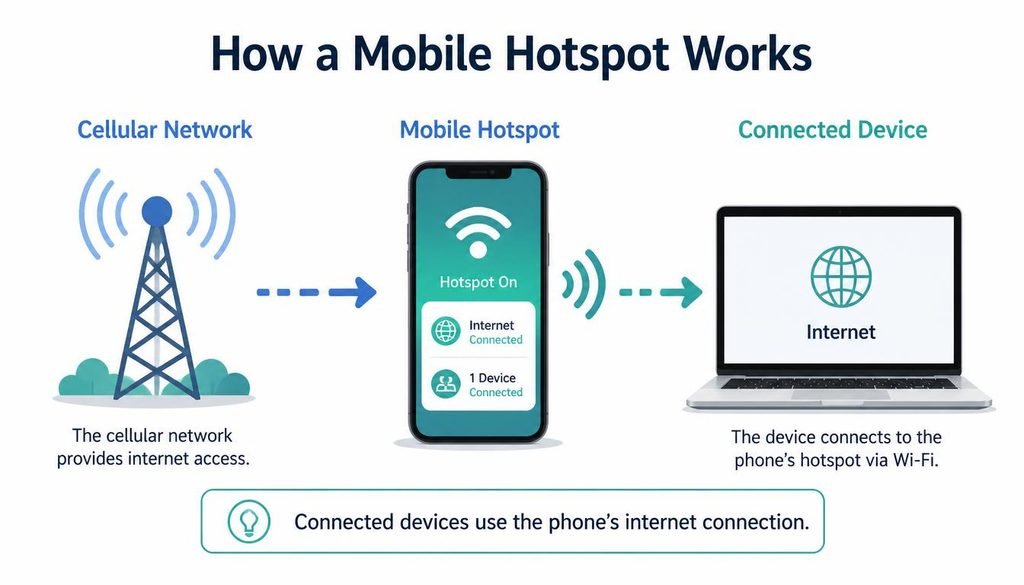
Think of three layers:
- Cellular data is the internet source, delivered by the carrier network.
- WiFi is only the local wireless link between your phone and the connected device.
- Tethering is the phone feature that passes traffic between them. The connection can run over WiFi, Bluetooth, or USB cable, and Apple notes that a Bluetooth or cable connection still uses the iPhone’s cellular connection.
Example: You watch a two hour HD movie on a laptop connected to your phone. Netflix says HD uses up to 3 GB per hour, so that session could use up to 6 GB of your plan. Meanwhile, the laptop may also sync files and check for updates in the background, which adds more.
Background activity matters because laptops often start updates, backups, and syncing as soon as they detect a connection. For a laptop setup guide, see how to use mobile data on a laptop.
Does Hotspot Use Data on Android and iPhone?
Menu names and available statistics vary by manufacturer, software version, and region. Not every phone shows a dedicated hotspot counter.
Android
Hotspot traffic is generally counted as mobile data. Google’s data usage guide says to open Settings > Network & internet > SIMs (or Internet on some versions), then tap App data usage. You can also set a data warning or limit there. Some phones break usage down by app but may not report tethering traffic separately. Google also notes that some carriers limit or charge extra for tethering.
iPhone
Open Settings > Cellular (or Mobile Service, depending on your version and region) to see usage. Many iOS versions list Personal Hotspot in the usage list, but this varies. The counter does not always reset on your billing date, so a Reset Statistics option, where available, can help you start a clean measurement.
Apple also says that if you see no Personal Hotspot option, you should ask your carrier about adding it to your plan. For the setup steps, see how to turn on Personal Hotspot on an iPhone, and if the option is missing, see why Personal Hotspot is grayed out.
Does Hotspot Use Data When Connected to WiFi?
This depends on the phone, and it is a common point of confusion.
- A phone using WiFi for itself. The phone’s own apps use that WiFi connection.
- A phone sharing its cellular connection. This is the standard hotspot. The connected device uses cellular data.
- A phone sharing a WiFi connection. Some Android phones can do this. Google says Pixel 3 and later phones can share a WiFi connection by tethering. Other phones may not.
- An iPhone. Apple states that you cannot connect an iPhone to a WiFi network and then share that network through Personal Hotspot.
A phone showing a WiFi icon therefore does not prove that the connected device is using that WiFi internet. Also, carriers or the operating system may restrict a tethering mode.
A simple test: Note the phone’s cellular usage. Download a file of known size on the connected laptop. Then check the phone’s cellular usage again. If it rose by roughly the file size, the hotspot used cellular data. If it did not, the phone may be sharing WiFi.
For trouble connecting a laptop to a hotspot, see how to fix common WiFi connection problems.
How Much Data Does a Hotspot Use?
Usage depends mainly on what the connected devices do, not on how many hours the hotspot is on. Published estimates for the same activity vary, so treat the figures below as approximate.
| Activity | Estimated data consumption | Main factors |
|---|---|---|
| Web browsing | About 60 MB to 250 MB per hour in published estimates | Page weight, ads, video on pages |
| Music streaming | About 40 MB to 150 MB per hour | Audio quality setting |
| Standard definition video | Up to 1 GB per hour (Netflix) | Service and quality setting |
| HD video | Up to 3 GB per hour (Netflix) | Resolution, service |
| 4K video | Up to 7 GB per hour (Netflix) | Resolution, service |
| Online gaming | About 30 MB to 300 MB per hour in published estimates | Game, updates not included |
| Video calls | About 0.5 GB to 3 GB per hour (my conversion of Zoom bandwidth figures) | Video quality, number of people |
| Large downloads | Equal to the file size | The file, background updates |

The video figures come from Netflix’s data usage page, which also lists Low (up to 0.3 GB per hour) and Medium (up to 0.7 GB per hour) settings. The video call range converts Zoom’s published bandwidth requirements into data. One megabit per second is about 0.45 GB per hour, so a one on one 720p call at 1.2 Mbps each way is up to about 1.1 GB per hour, and 1080p is up to about 3 GB per hour. These are maximum requirements, so real usage can be lower. Browsing, music, and gaming figures are published estimates from BroadbandNow and Saily, not tests by Problevo.
How to Estimate Four Hours
There is no single number for four hours, because the activity is unknown. Multiply the hourly figure by four:
| Activity for 4 hours | Estimate |
|---|---|
| Browsing | About 0.25 GB to 1 GB |
| Netflix SD | Up to 4 GB |
| Netflix HD | Up to 12 GB |
| Netflix 4K | Up to 28 GB |
| Netflix at the Low setting | Up to 1.2 GB |
Is Hotspot Free With Unlimited Data?
Not necessarily. Plans differ in four ways:
- Unlimited phone data. This covers the phone’s own use.
- A separate hotspot allowance. Hotspot data may be capped on its own.
- Speed reductions. Hotspot speeds may slow after a threshold.
- Plan specific charges and roaming rules. These vary and should be checked before travel.
For example, Cricket’s support page says its Mobile Hotspot uses a separate high speed allotment, after which tethering slows. That is one carrier, not a universal rule. Google and Apple both say some carriers limit or charge for tethering. To see how much you have, read how to check how much hotspot data you have left, and for plan background see whether using a mobile hotspot costs money.
Can You Use a Hotspot Without Using Mobile Data?
For normal internet access, you need an internet source. A hotspot network may let devices talk to each other locally, but loading websites needs an internet connection. How local only sharing behaves depends on the device.
- iPhone: Personal Hotspot shares cellular data only.
- Some Android phones: They can share a WiFi connection. That avoids cellular data but uses the WiFi network’s own allowance.
- Bluetooth or USB tethering: These change the link type, not the source. They still use the phone’s cellular data.
How to Reduce Hotspot Data Usage
- Set the laptop’s hotspot connection to metered. Microsoft says Windows sets WiFi networks to non metered by default. Go to Settings > Network & internet > Wi-Fi, select the hotspot network, and turn on Metered connection. Windows then downloads only priority updates and may limit background syncing.
- Pause unnecessary updates and downloads. Pause them for now and resume on home WiFi. Do not turn off security updates permanently.
- Limit cloud backup and sync. Pause backup apps or sync only essential files.
- Lower video quality. Choose SD or a lower data setting in the streaming app.
- Restrict background data. On Android, Google’s guide lets you restrict background data by app. On iPhone, use Low Data Mode, where available.
- Find the biggest user. On Windows, open Settings > Network & internet > Advanced network settings > Data usage to see which apps use the most.
- Monitor the allowance. Watch usage in the carrier’s app or account.
- Disconnect unneeded devices. Fewer devices means less background traffic.

How to Check Hotspot Data Usage
| Where | What it measures | Limitation |
|---|---|---|
| Android Settings | The phone’s mobile data use, by app | May not separate tethering |
| iPhone Settings | Cellular use for the phone | Counter may not match the billing cycle |
| Windows Data usage | What the laptop sent and received | Does not show carrier billing |
| Carrier app or account | The carrier’s official record | Updates may lag, and hotspot data may be counted separately |
These figures may not match exactly. Different tools use different measurement periods and update times.
A before and after test: Note the phone’s cellular usage. Use the laptop for a short, fixed session, such as 15 minutes of normal browsing. Check the phone and the laptop again. The difference gives you a rough rate for your own use.
Common Hotspot Data Myths
- “Unlimited phone data means unlimited hotspot.” Not always. Hotspot data may have its own allowance or speed limit.
- “An enabled hotspot always drains data.” It does not by itself. Connected devices create the traffic.
- “A laptop uses the same data as a phone.” Often it uses more, because it loads larger pages, higher quality video, and background updates.
- “If my phone is on WiFi, the hotspot uses WiFi.” Not on an iPhone, and only on some Android phones.
FAQs
Is hotspot free if you have unlimited data?
Not necessarily. Unlimited phone data does not always mean unlimited hotspot data, because some plans set a separate hotspot allowance or slow tethering after a threshold. Apple and Google both note that some carriers limit or charge for tethering. Check your plan terms and hotspot usage with your carrier.
Can I use my hotspot without using data?
Not for normal internet access. A hotspot shares an internet connection, and an iPhone can only share its cellular data. Some Android phones can share a WiFi connection, which avoids cellular data but uses that network’s allowance. Local device to device traffic depends on the device.
How much data does 4 hours of hotspot use?
It depends on the activity. Using Netflix’s maximums, four hours is up to 4 GB in SD, 12 GB in HD, and 28 GB in 4K. Published estimates put four hours of browsing near 0.25 to 1 GB. Check your own phone counter for an accurate figure.
Does a hotspot use much data?
It can, but the amount depends on what connected devices do, not the hotspot itself. Email and browsing use little, while HD video, video calls, and large downloads can use gigabytes. Laptops also run background updates and syncing, so monitor usage and consider a metered connection.
Does hotspot use data on Android?
Yes, in most cases it shares your phone’s mobile data. Some Android phones, including Pixel 3 and later according to Google, can share a WiFi connection instead, so behavior varies. Check Network and internet settings for App data usage, and test before and after.
Does hotspot use data on iPhone?
Yes. Apple says Personal Hotspot can only share the iPhone’s cellular connection, and you cannot join a WiFi network and share it. Check usage under Settings > Cellular (or Mobile Service). Your carrier must also include Personal Hotspot in your plan.
Does hotspot use data for gaming?
Yes, a connected console or PC uses data like any other device. Published estimates for online play are often modest, roughly 30 to 300 MB per hour, but game downloads and updates can be many gigabytes. Mobile coverage can also add lag. Some carriers do not support consoles on hotspots, so check your terms.
Does hotspot use more data than a phone?
Not by itself. The same activity uses a similar amount on either device. A laptop or TV often uses more because it loads larger pages, higher video quality, and background updates. Data saver options and a metered connection help keep laptop usage down.
How much data does hotspot use for Netflix?
Netflix says up to 1 GB per hour in SD, 3 GB in HD, and 7 GB in 4K per device. Its Low and Medium settings use up to 0.3 and 0.7 GB per hour. Settings are per profile under Playback settings, and restricting data may reduce video quality.
How can I stop my laptop from using too much hotspot data?
Turn on Metered connection for the hotspot network in Settings, then Network and internet, then Wi-Fi. Pause updates and cloud sync, lower video quality, and close background apps. Then check your phone’s usage. Metered mode reduces some downloads but does not cap total data.
Conclusion
A hotspot normally uses cellular data, and the real cost comes from what the connected devices do. Video and large downloads use the most, while browsing and email use little. Your best next step is to check your phone’s usage and your carrier’s hotspot allowance before a long laptop session. If you stream to a TV, see how to connect a smart TV to WiFi and consider using home WiFi instead.