How Do I Disable WiFi Calling on iPhone & Android Easy Guide
Learning the answer to how do i disable wifi calling helps you route phone calls back through traditional cellular towers whenever your home wireless connection becomes unstable. The change takes under a minute on most phones, but the exact menu path depends on your brand, your software version, and your carrier.
Quick Answer: How Do I Disable WiFi Calling
- iPhone: Open Settings > Phone > Wi-Fi Calling (or Settings > Apps > Phone > Wi-Fi Calling on iOS 18+), then switch it off.
- Samsung Galaxy: Open Settings > Connections > Wi-Fi Calling, then toggle it off.
- Google Pixel: Open Settings > Network & internet > SIMs > [Your SIM] > Wi-Fi calling, then switch it off.
- Carrier Profile: If the toggle is grayed out, update your carrier settings or reinsert the SIM card first.
In This Guide
WiFi Calling Deactivation: Device Menu Path Matrix
| Device Brand / OS | Exact Settings Navigation Path | Toggle Action | Carrier Provisioning Note |
|---|---|---|---|
| iPhone (iOS 18 and later) | Settings > Apps > Phone > Wi-Fi Calling (iOS 17 and earlier: Settings > Phone > Wi-Fi Calling) | Turn off Wi-Fi Calling on This iPhone | The option only appears when your carrier supports it and the carrier bundle is current |
| Samsung Galaxy (One UI) | Settings > Connections > Wi-Fi Calling | Switch the main toggle off | Some carrier firmware moves it to Phone app > More options > Settings |
| Google Pixel (Android) | Settings > Network & internet > SIMs > your SIM > Wi-Fi calling or Phone app > Settings > Calls > Wi-Fi calling | Switch Wi-Fi calling off | The toggle disappears when carrier IMS provisioning has not loaded |
| OnePlus (OxygenOS) | Settings > Mobile network > your SIM > Wi-Fi calling | Switch off | Carrier branded variants can lock the toggle |
| Xiaomi, Redmi, Poco (HyperOS or MIUI) | Settings > SIM cards & mobile networks > your SIM > Wi-Fi calling | Switch off | Many global ROMs hide it until the carrier is whitelisted |
| Realme (Realme UI) | Settings > SIM card & mobile data > your SIM > Wi-Fi calling | Switch off | Menu names vary by region and software version |
| Carrier locked firmware (any brand) | Use the Settings search bar and type Wi-Fi calling | Switch off, or ask the carrier to remove it from your line | The carrier profile may force the feature on or hide the toggle |
Why Turn Off WiFi Calling? (Benefits and Reasons)
WiFi calling sends your voice over an internet connection instead of a cell tower. It works well on a strong, stable router. It works badly on a weak one, and that is the main reason people switch it off.
Dropped calls on weak networks. When the wireless signal wobbles, the call has to travel through your router, your internet provider, and the carrier core network. Any weak link can cut the call. If your phone keeps dropping connections as it moves between rooms, start with our guide on how to fix wifi.
Audio stutter and robotic voices. Voice over IP is sensitive to packet loss and delay. A busy network with streaming, gaming, and video calls running at once produces choppy audio. To resolve weak wireless coverage that forces your phone onto voice over IP protocols, read how to fix weak wifi signal.
Battery preservation. A phone that constantly hops between Wi-Fi and cellular keeps both radios busy. In areas with decent cell coverage, turning the feature off removes that extra switching work.
Other common reasons:
- You are on a corporate or hotel network that blocks the ports WiFi calling needs.
- A VPN interferes with call registration.
- You want caller identity and call logs to show cellular behavior only.
- You travel often and prefer a predictable network path for every call.
How to Turn Off WiFi Calling on iPhone and iPad
Apple keeps the switch inside the Phone settings. The path moved slightly in newer iOS releases, so use the version that matches your phone.
Turn off WiFi calling on iPhone
- Step 1: Open the Settings app.
- Step 2: On iOS 18 and later, tap Apps, then tap Phone. On iOS 17 and earlier, tap Phone directly.
- Step 3: Tap Wi-Fi Calling.
- Step 4: Switch off Wi-Fi Calling on This iPhone.
- Step 5: Confirm that the status bar shows only your carrier name. If it still shows a Wi-Fi label next to the carrier name, restart the phone.
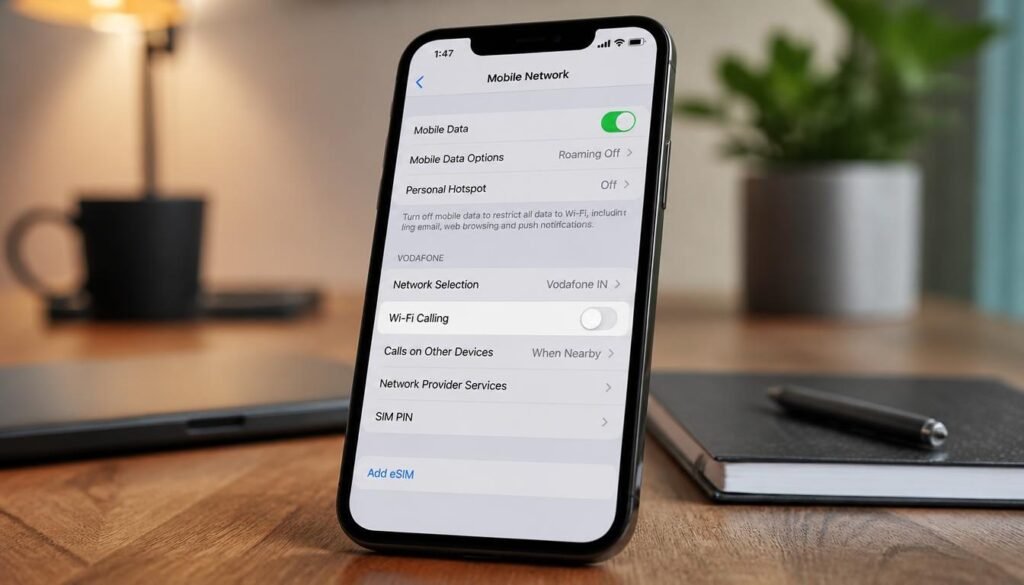
Dual SIM iPhones: open Settings > Phone, choose the line under SIMs, and repeat Step 3 and Step 4 for each line that has the feature enabled.
Turn off WiFi calling on iPad and other Apple devices
An iPad does not place WiFi calls on its own. It relays calls from your iPhone, so you disable the relay.
- Step 1: On the iPhone, open Settings > Phone > Calls on Other Devices.
- Step 2: Switch off Allow Calls on Other Devices, or switch off the individual iPad listed below it.
- Step 3: On the iPad, open Settings > FaceTime and switch off Calls from iPhone.

If you troubleshoot these settings from a laptop afterward and the wireless option vanishes, review fixing the Windows 11 no Wi-Fi option bug. To verify whether your core internet connection speed matches your router performance, check is wifi and internet the same.
Tip: Turning the feature off does not remove iMessage or FaceTime. Those services use data and keep working over Wi-Fi as before.
How to Disable WiFi Calling on Android (Samsung, Pixel, OnePlus & Xiaomi)
Android menu names change between brands, software versions, and carrier builds. If you cannot find a path below, open Settings, tap the search bar, and type Wi-Fi calling. The result jumps straight to the correct screen.
Samsung Galaxy (One UI)
- Step 1: Open Settings and tap Connections.
- Step 2: Tap Wi-Fi Calling.
- Step 3: Switch the toggle off.
- Step 4: If Connections does not list it, open the Phone app, tap More options (three dots) > Settings, and look for Wi-Fi calling.
Google Pixel
- Step 1: Open Settings > Network & internet > SIMs.
- Step 2: Select your active SIM, then tap Wi-Fi calling.
- Step 3: Switch the toggle off.
- Step 4: On some builds, use the Phone app instead: tap the three dot menu > Settings > Calls > Wi-Fi calling.
When you manage cellular data sharing alongside these settings, review how much hotspot do I have left so tethering limits do not surprise you after the switch.
OnePlus and Realme
- Step 1: Open Settings > Mobile network (on Realme UI, SIM card & mobile data).
- Step 2: Tap your SIM name.
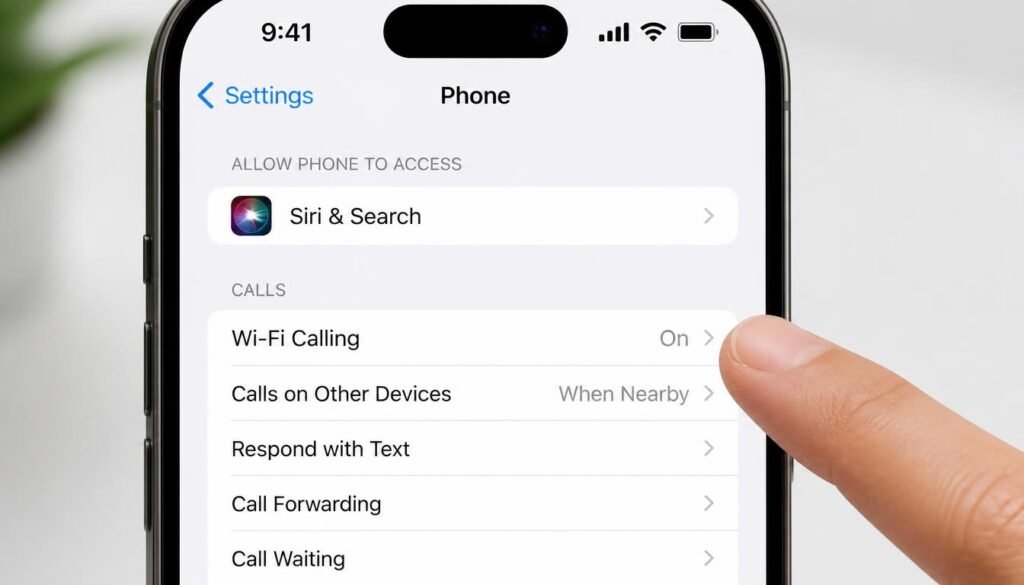
- Step 3: Tap Wi-Fi calling and switch it off.
How Do I Disable WiFi Calling?
Xiaomi, Redmi and Poco
- Step 1: Open Settings > SIM cards & mobile networks.
- Step 2: Tap the SIM you want to change.
- Step 3: Tap Wi-Fi calling and switch it off.
After you adjust network features, you may need to reconnect shared hardware such as printers or office devices. To connect smart home devices or office hardware, follow how to connect a printer to wifi.
Dual SIM Android phones: the setting is stored per SIM. Repeat the steps for each line, because turning it off on SIM 1 does not change SIM 2.
Troubleshooting Missing or Grayed-Out Toggles
A missing or grayed out toggle almost always points to carrier control, not a broken phone. Wi-Fi calling runs on the carrier IMS system, so the carrier decides whether your line exposes the switch.
Hidden carrier menus and locked firmware
Carrier branded phones often ship with a profile that forces the feature on, hides the toggle, or moves it into a different menu. Work through these checks in order:
- Step 1: Search Settings for Wi-Fi calling and also check the Phone app settings. Some builds keep the real switch there.
- Step 2: Update carrier settings. On iPhone, open Settings > General > About and wait for a carrier update prompt. On Android, install every pending update under Settings > System > Software update.
- Step 3: Remove and reinsert the SIM card, or switch the eSIM line off and on. This forces the phone to download a fresh carrier provisioning profile.
- Step 4: Turn Airplane mode on for 30 seconds, then off. This triggers a new IMS registration.
- Step 5: Reset network settings. On iPhone, use Settings > General > Transfer or Reset iPhone > Reset > Reset Network Settings. On Android, use Settings > System > Reset options > Reset Wi-Fi, mobile & Bluetooth. This erases saved Wi-Fi passwords, so note them first.
- Step 6: Contact the carrier and ask them to remove Wi-Fi calling from your line profile. Some carriers only allow this through an account portal or a support agent, because the setting is provisioned on their side.
SIM provisioning and diagnostic menus
Some Android phones include a hidden diagnostic screen that you open by typing a code into the dialer. On many devices, *#*#4636#*#* opens a Phone information screen that shows whether the line is registered for IMS services. This screen is read only for this purpose. Availability varies by brand and carrier build, so treat it as a check, not a fix. Do not change radio settings in that menu unless a carrier technician tells you to.
VoLTE dependency
WiFi calling and VoLTE use the same carrier IMS framework. On many carriers, the Wi-Fi calling switch only appears when VoLTE or Advanced Calling is enabled. If you turn off VoLTE hoping to remove WiFi calling, you may lose the toggle and also break normal voice calls on networks that have shut down 2G and 3G. Disable only Wi-Fi calling and leave VoLTE on unless the carrier instructs otherwise.
If you need to review a router that keeps your phone on a weak connection, read how to access router settings. If the tethering switch also looks unavailable on the same device, inspect why is my personal hotspot grayed-out.
What Happens After You Disable the Feature?
Your phone returns to the normal cellular voice path. The change is small for most people, but three areas deserve attention.
Automatic fallback to cellular towers
Once the feature is off, every new call uses the cellular network. On modern phones that means VoLTE or 5G voice where available, with a fallback to older circuit switched voice only where the carrier still supports it. If your location has weak cell coverage, such as a basement or a concrete office, calls may fail or sound worse than they did on Wi-Fi. Check your signal bars before you switch off the feature at home.
Call drop behavior during the switch
What happens to an active call depends on when you change the setting:
- Toggling during a live call: the call may drop, because the phone has to tear down the Wi-Fi voice session and rebuild it on the tower.
- Walking out of range mid call: with the feature on, a handover to LTE usually keeps the call alive only if the signal is strong. With it off, the call simply stays on the tower.
- Weak signal at the tower: if neither connection is healthy, the call ends and you must redial.
Finish or end any active call before changing the setting, and place a short test call afterward.
SMS, MMS, and emergency calling
SMS and MMS: with WiFi calling on, some carriers send text messages over the internet. With it off, standard texts return to the cellular path. iMessage, RCS, and chat apps keep using data and are not affected.
Emergency calling: with the feature off, a call to 911 or your local emergency number goes through the cellular network. This is the safer path in most places because your location comes from cell towers and GPS. With the feature on, you must keep a valid emergency address saved, otherwise responders may receive an outdated location. If you live or work in a spot with no cellular coverage at all, keep the feature on so the phone can still reach emergency services over Wi-Fi.
If you share your phone connection with other devices after the change, see how do you turn on mobile hotspot on iphone to manage cellular data sharing from mobile devices. If you test the network from a Windows computer and run into local adapter errors, inspect how to fix common Windows 11 problems.
Frequently Asked Questions
Can you turn off my Wi-Fi calling?
Yes, you can turn off your own Wi-Fi calling in your phone settings in under a minute. Open the Phone settings on iPhone or Connections on Samsung, then switch the toggle off. A carrier can also remove the feature from your line, but only you or the account holder can request it.
Why can’t I find the WiFi calling option on my Android phone?
The option is missing when your carrier has not enabled it for your plan, your software is outdated, or the SIM profile has not finished provisioning. Search Settings for Wi-Fi calling, install system updates, reinsert the SIM, and reset network settings. If it still does not appear, the carrier must enable it.
What happens if WiFi calling is turned off?
Your phone sends all calls and standard texts through the cellular network instead of your internet connection. Call quality then depends on tower signal strength. VoLTE keeps working, iMessage and chat apps still use data, and emergency calls go through the nearest tower. You will lose calling in places that only have Wi-Fi.
How to block Wi-Fi calls?
To block Wi-Fi calls on a device, turn off the Wi-Fi calling setting on that phone. On a network, an administrator can block IPsec traffic on UDP ports 500 and 4500, which forces phones onto cellular. To block one caller instead, use Blocked Contacts in the phone settings.
How do I disable wifi calling on my phone?
Open Settings and search for Wi-Fi calling, then switch the toggle off for your active SIM. On iPhone the path is Settings > Phone > Wi-Fi Calling, and on Android it is usually under Connections or SIMs. Restart the phone afterward so the carrier registration refreshes. If the toggle is grayed out, update carrier settings.
How do I disable wifi calling on android?
Open Settings, then go to Connections on Samsung or Network & internet > SIMs on Pixel, select your SIM, and tap Wi-Fi calling. Switch it off. On OnePlus, Xiaomi, and Realme, the switch sits under Mobile network or SIM cards settings. Use the Settings search bar if your menu names differ.
Turn off WiFi calling Samsung?
Go to Settings > Connections > Wi-Fi Calling and switch the toggle off. If you cannot see it there, open the Phone app, tap More options (three dots), choose Settings, and look for Wi-Fi calling. Carrier versions of Galaxy phones sometimes hide the switch until a software update finishes.
How do I disable wifi calling on my iphone?
Open Settings > Phone > Wi-Fi Calling (on iOS 18 and later, Settings > Apps > Phone > Wi-Fi Calling) and switch off Wi-Fi Calling on This iPhone. On dual SIM iPhones, repeat this for each line. When the status bar no longer shows a Wi-Fi label beside your carrier name, the change has taken effect.
Final Thoughts on Managing Mobile Network Settings
Disabling WiFi calling is a quick change once you know where your phone keeps the switch. On iPhone it lives under the Phone settings. On Samsung it sits under Connections. On Pixel, OnePlus, Xiaomi, and Realme it follows your SIM settings. When the toggle is grayed out or missing, the carrier profile is almost always the cause, so update carrier settings, refresh the SIM, and contact the provider if needed.
Before you switch the feature off, confirm that your location has reliable cellular coverage, because calls will rely entirely on the tower. Leave VoLTE enabled so voice calls keep working on modern networks, and place a short test call after the change. If you ever need the feature back, repeat the same steps and switch the toggle on.